Below are guideline(s) to allow sales transaction(s) to be posted to individual branch account setting:
- Click menu Setting>>Administrator Menu>>General Setup>>Optional Module 2>>Posting Collection to individual branch account setting Y/N>>Change to Yes
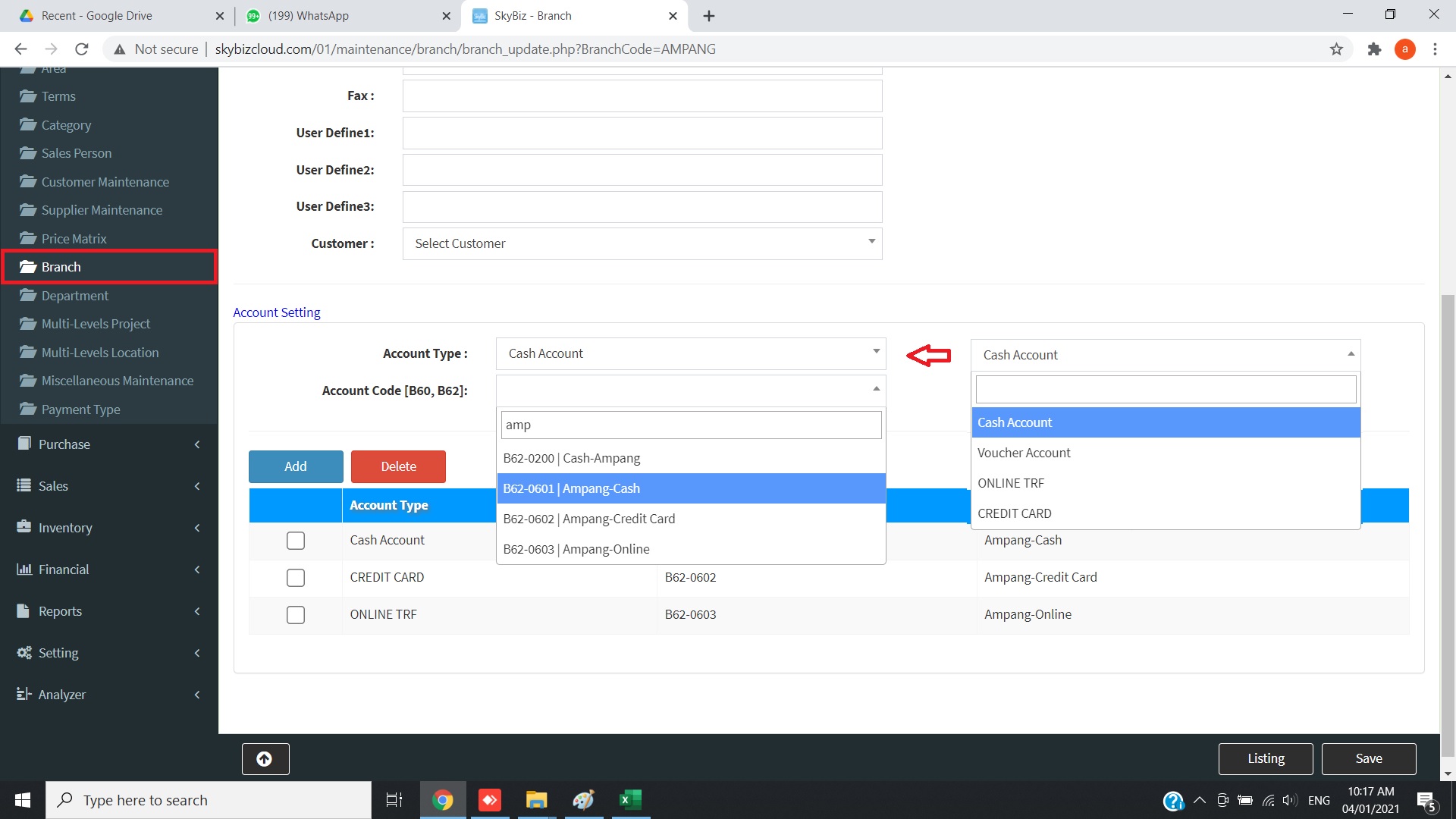
- Click menu>>Maintenance>>Branch>>
- Fill up Branch Code, Branch Description, Branch Address, Tel, Fax.
- In the account setting part, Select Account Type [Cash Account] and fill up account code and click Add to save the setting
- In the account setting part, Select Account Type [Credit Card] and fill up account code and click Add to save the setting
- Click Save to proceed save information.
- Chrome Pop-ups
Powered By : SKYBIZ ® Beyond Cloud ™