Below are guideline(s) to Upload Image
1. Go to Maintenance>>Item Maintenance>>Listing

Item Maintenance
2. Click 3 Dot >> Edit
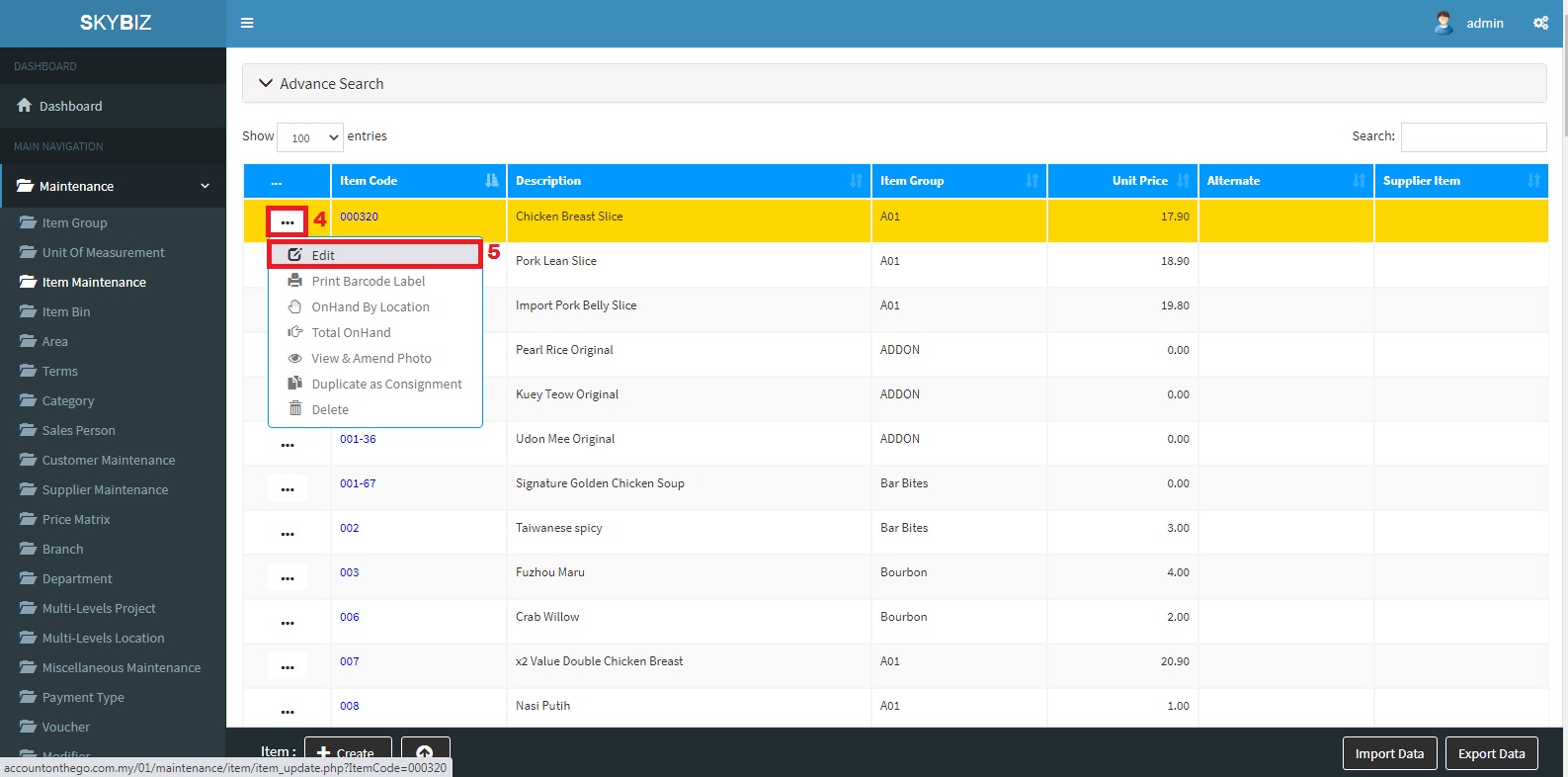
Edit
3. Go to Picture>>Browse
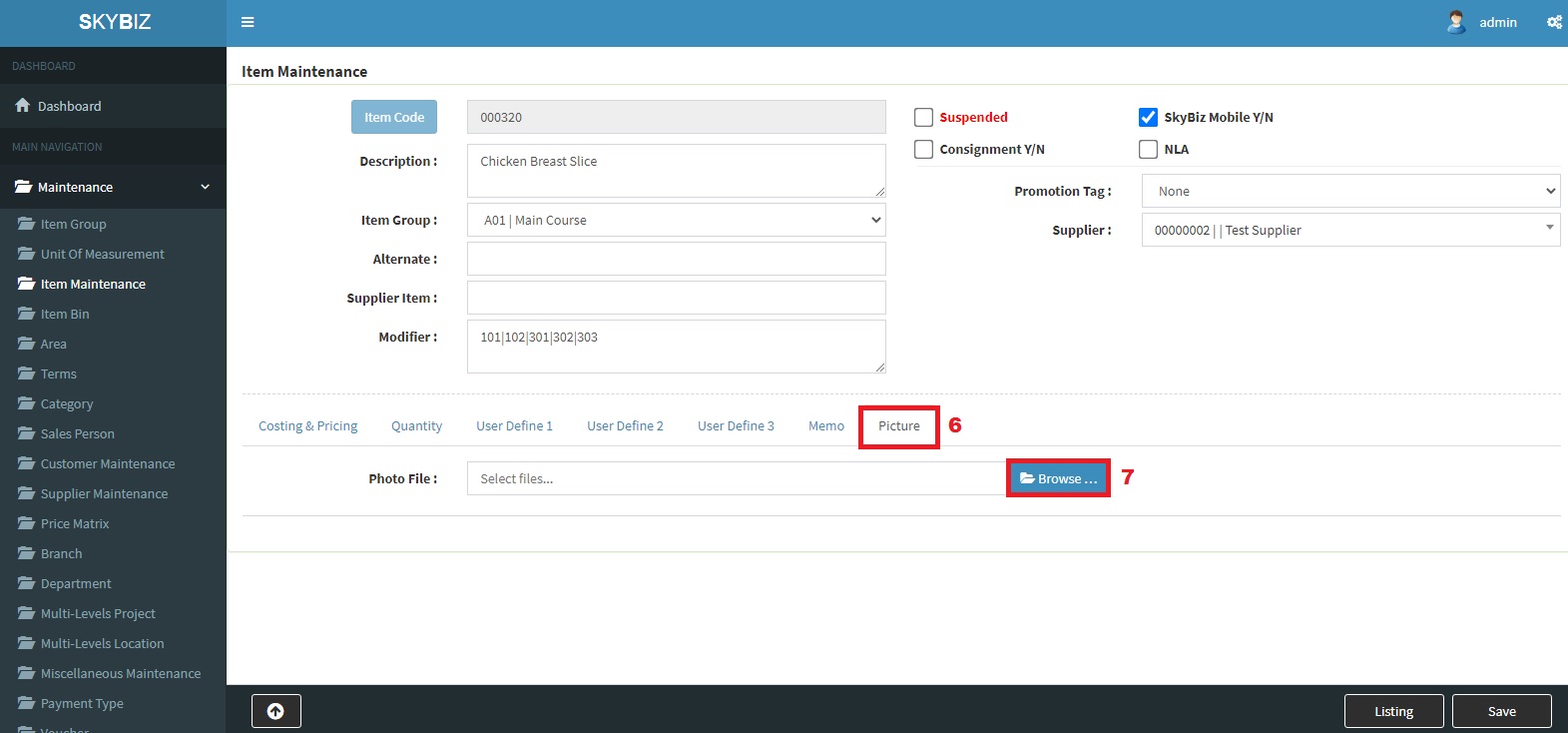
Browse
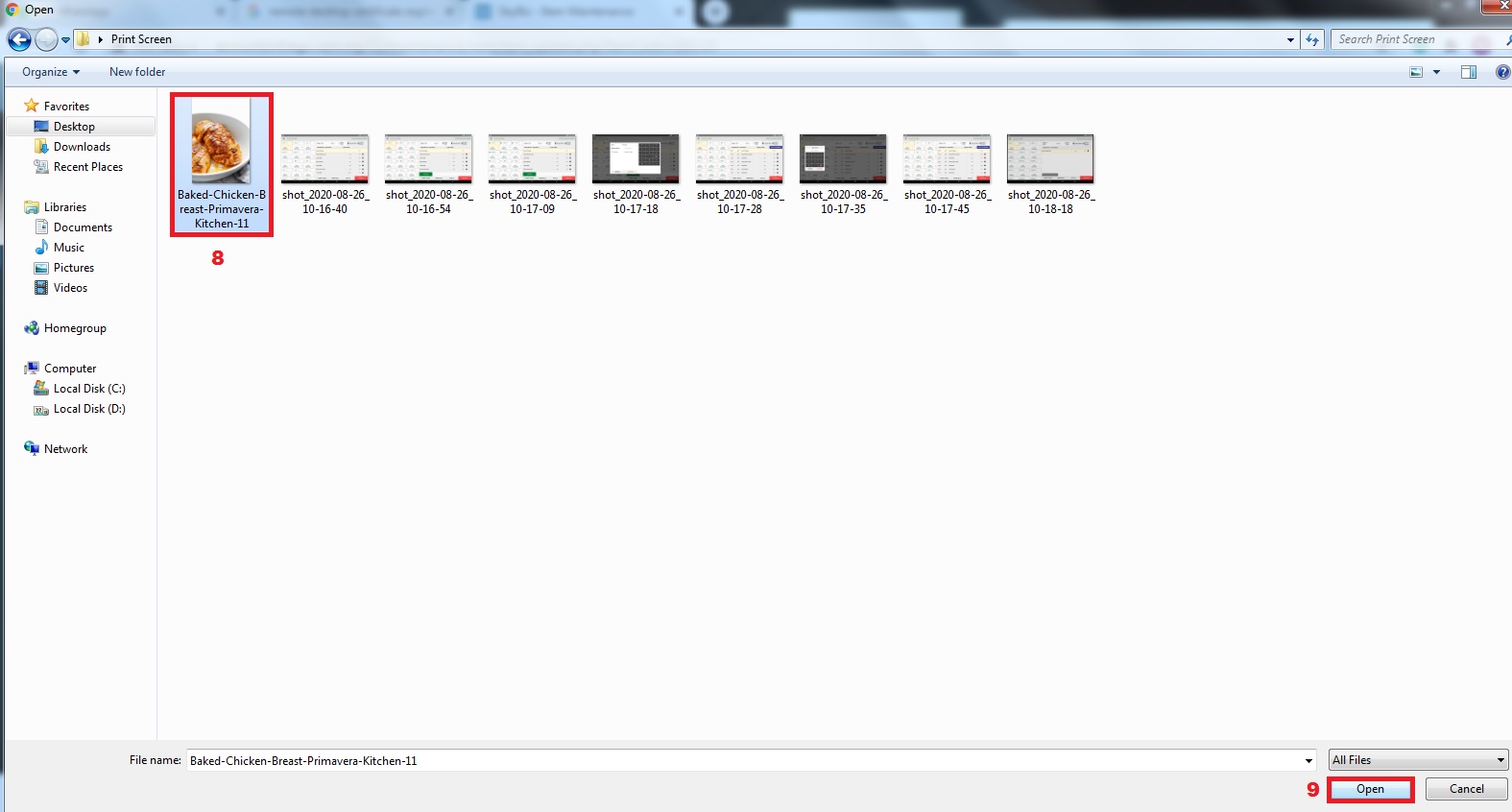
Choose Image
4. Choose the Image you want to upload and Open
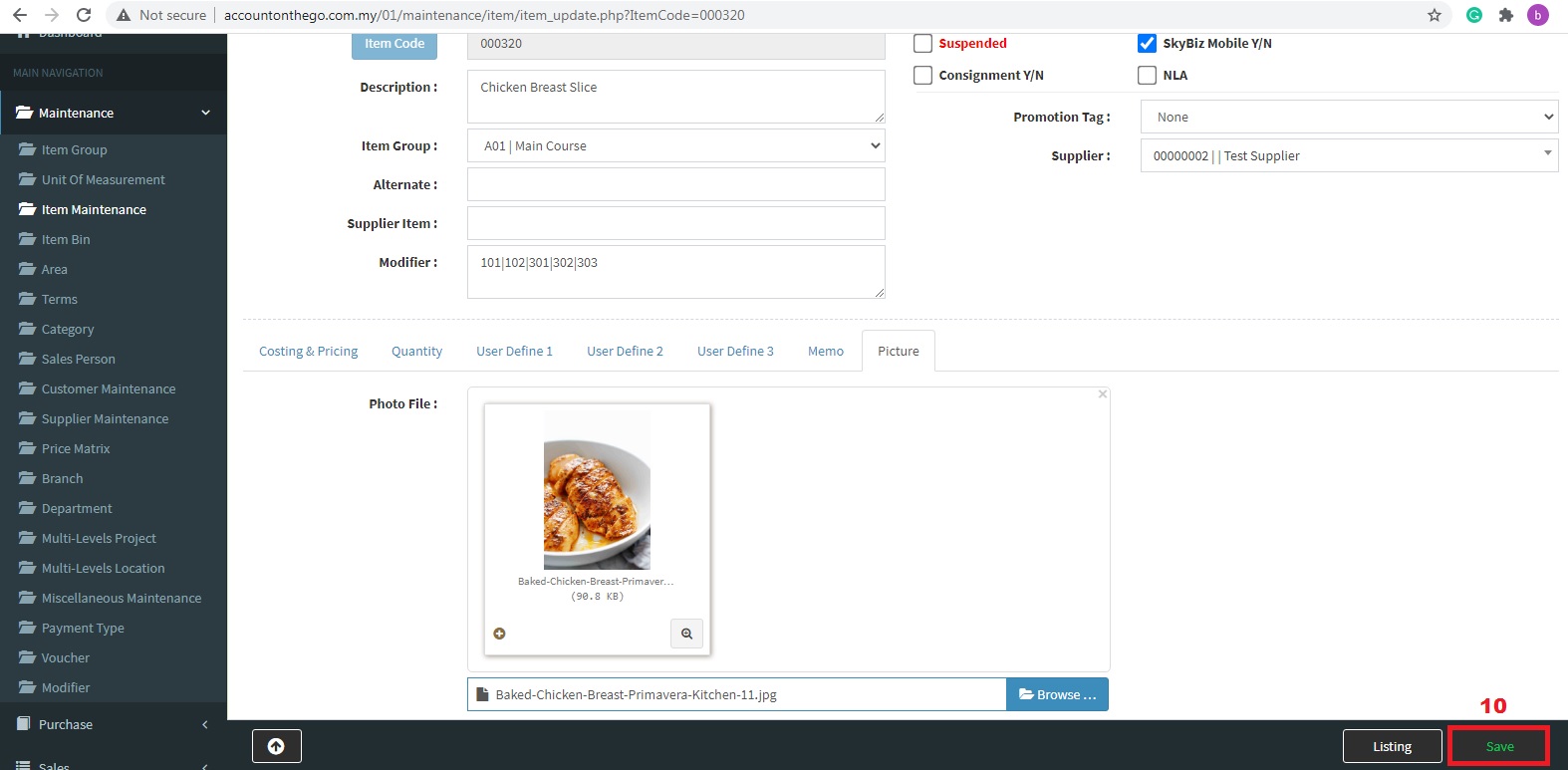
5. Save
Powered By : SKYBIZ ® Beyond Cloud ™