For many businesses, the physical place where you stock inventory is the same place where you ship orders from. However, as your business grows with additional retail locations, warehouses, and temporary pop-ups, you will need your storefront and backend to reflect the multi-location nature of your inventory.
Below are guideline(s) to create new and amend store location :
- Go to Maintenance>>Multi-Levels Location.
- Click on +Create to create new store location
-
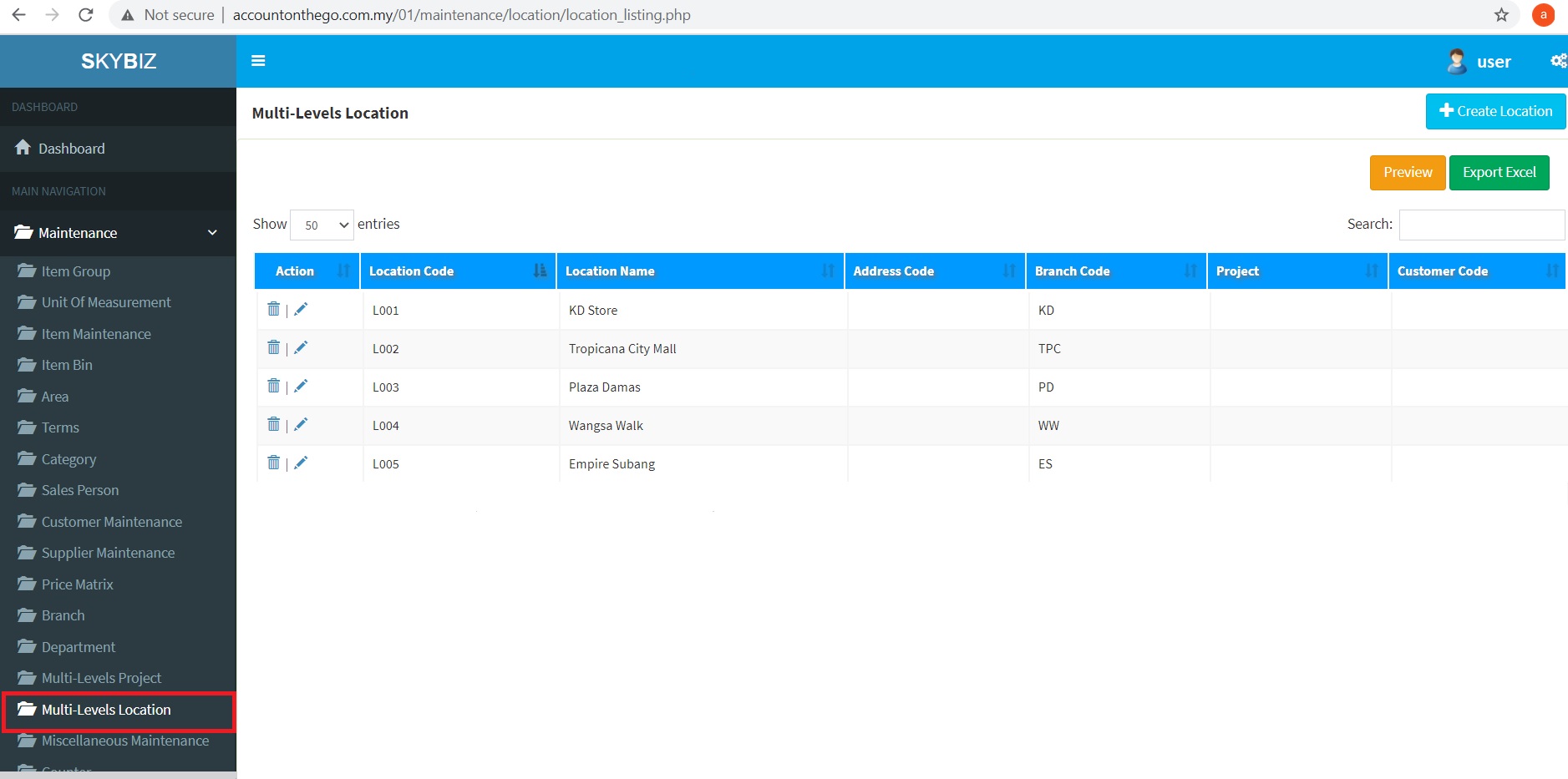
Multi-Levels Location
-
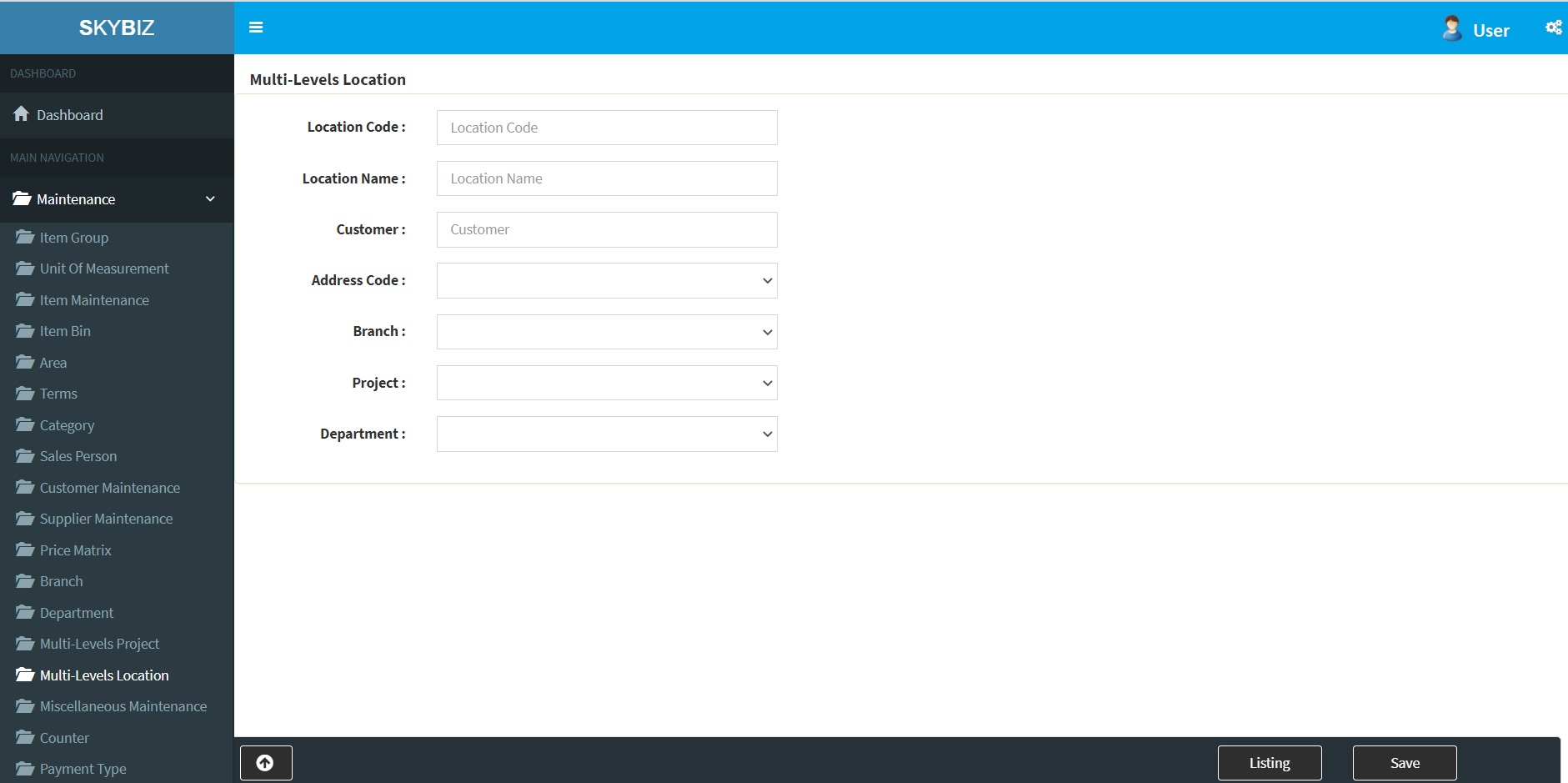
Multi-Levels Location – Create New Store Location
- Fill up Location Code, Location Name and click Save to proceed record.
Powered By : SKYBIZ ®