Below are guideline(s) to Export WebOrder
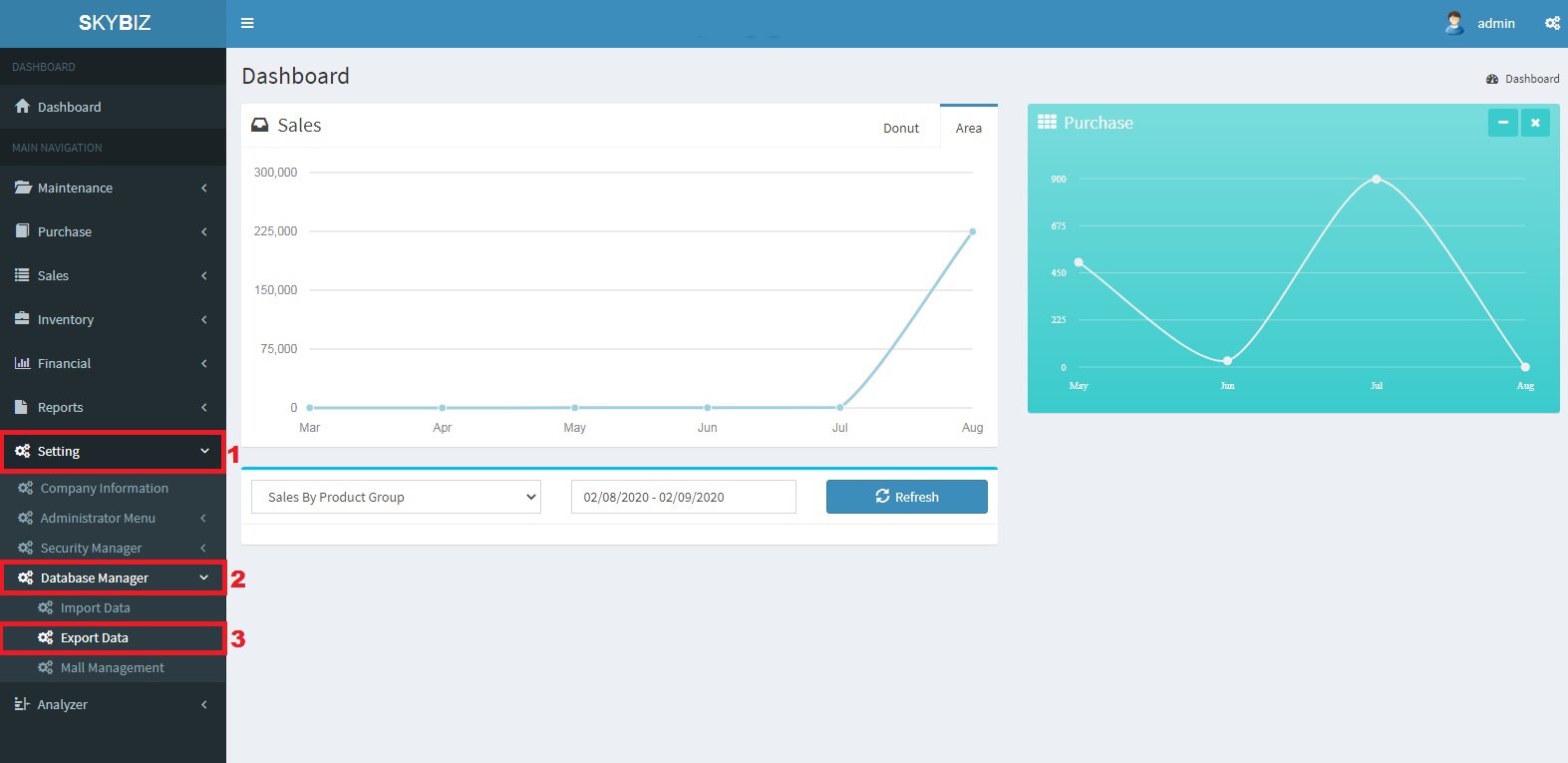
Export WebOrder
1. Go to Setting>>Database Manager>>Export WebOrder
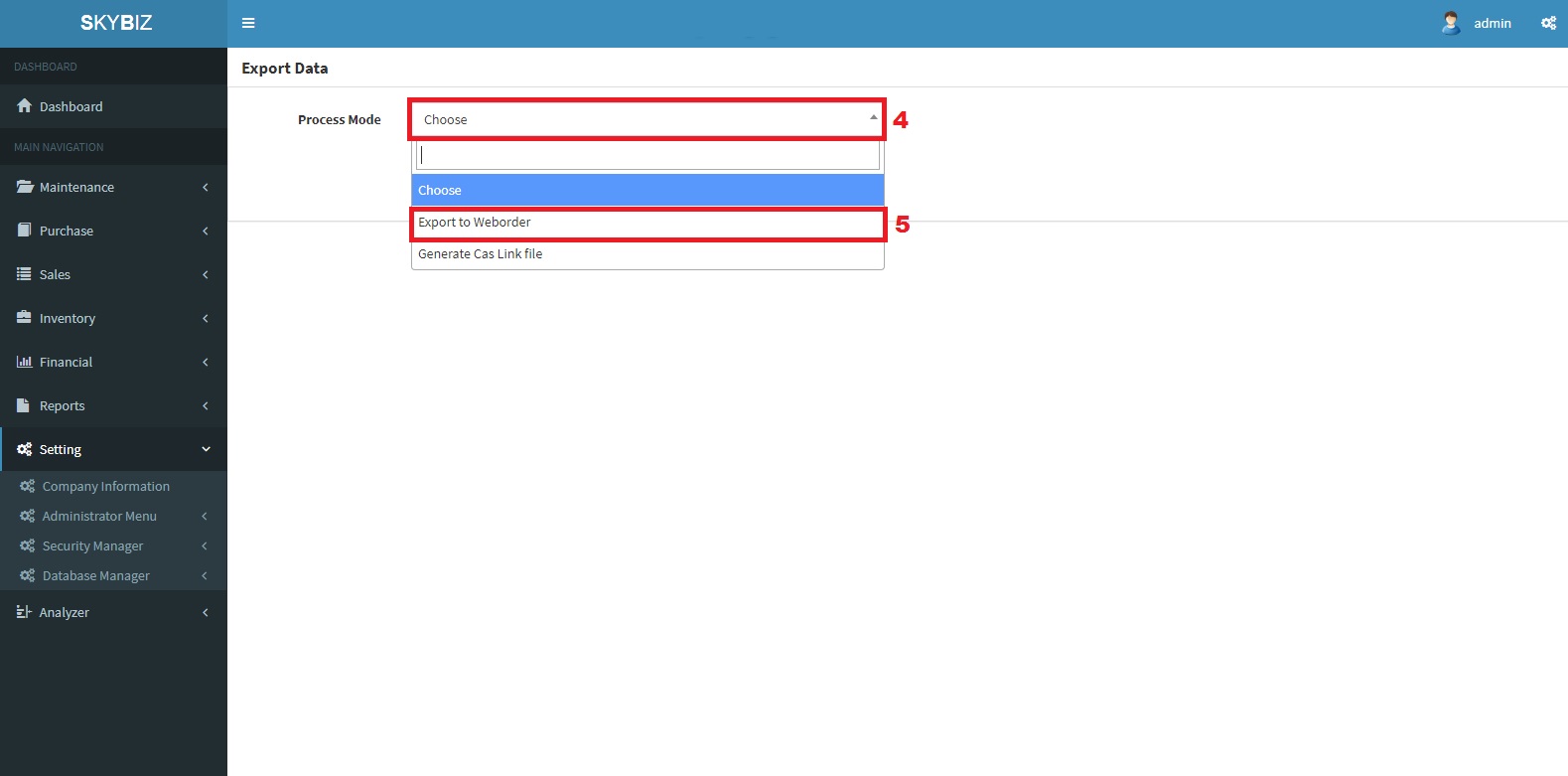
Process
2. Choose Process Mode: Export WebOrder
3. After Process Successful
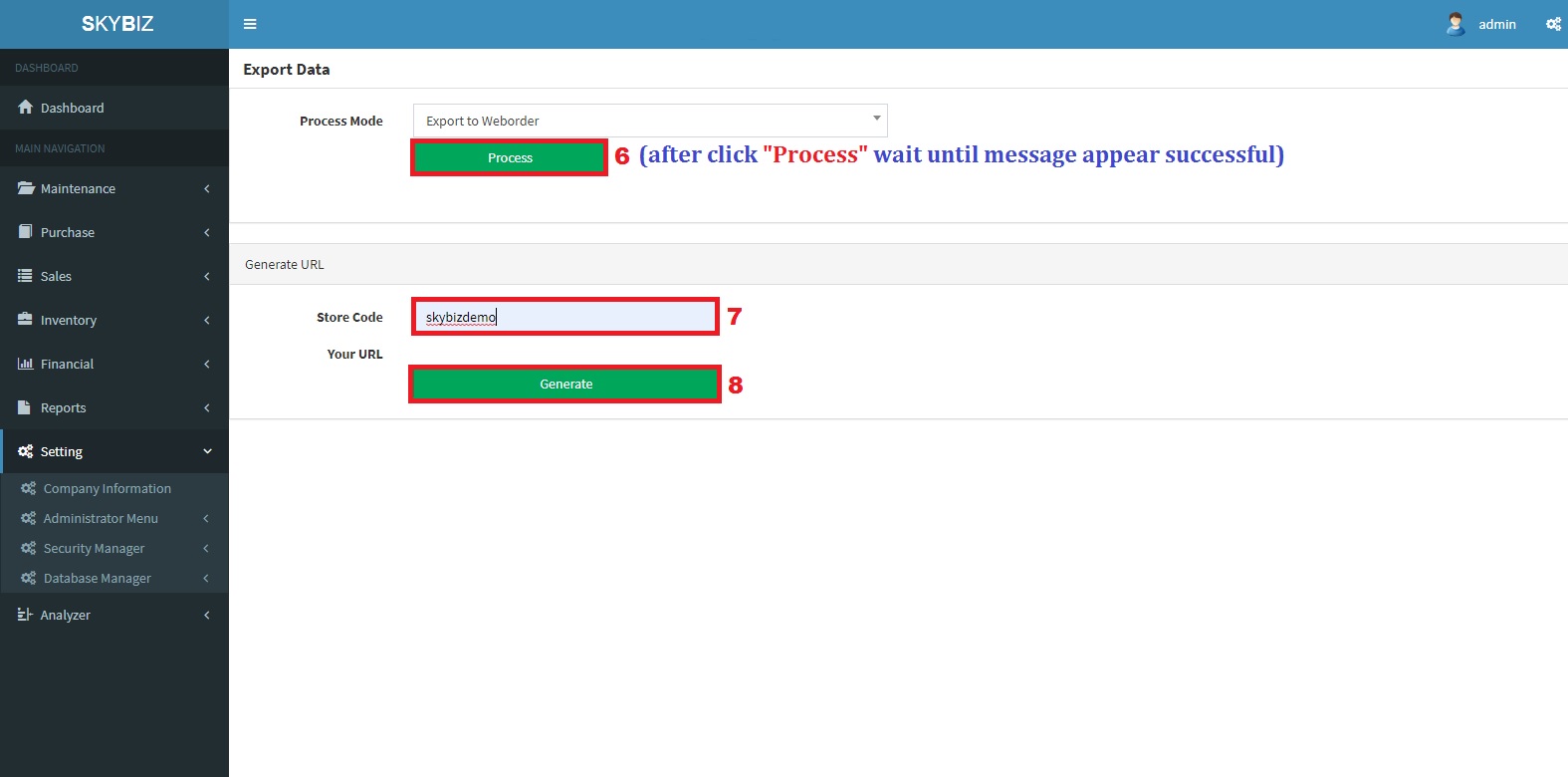
Storecode
4. Key in Storename and Generate
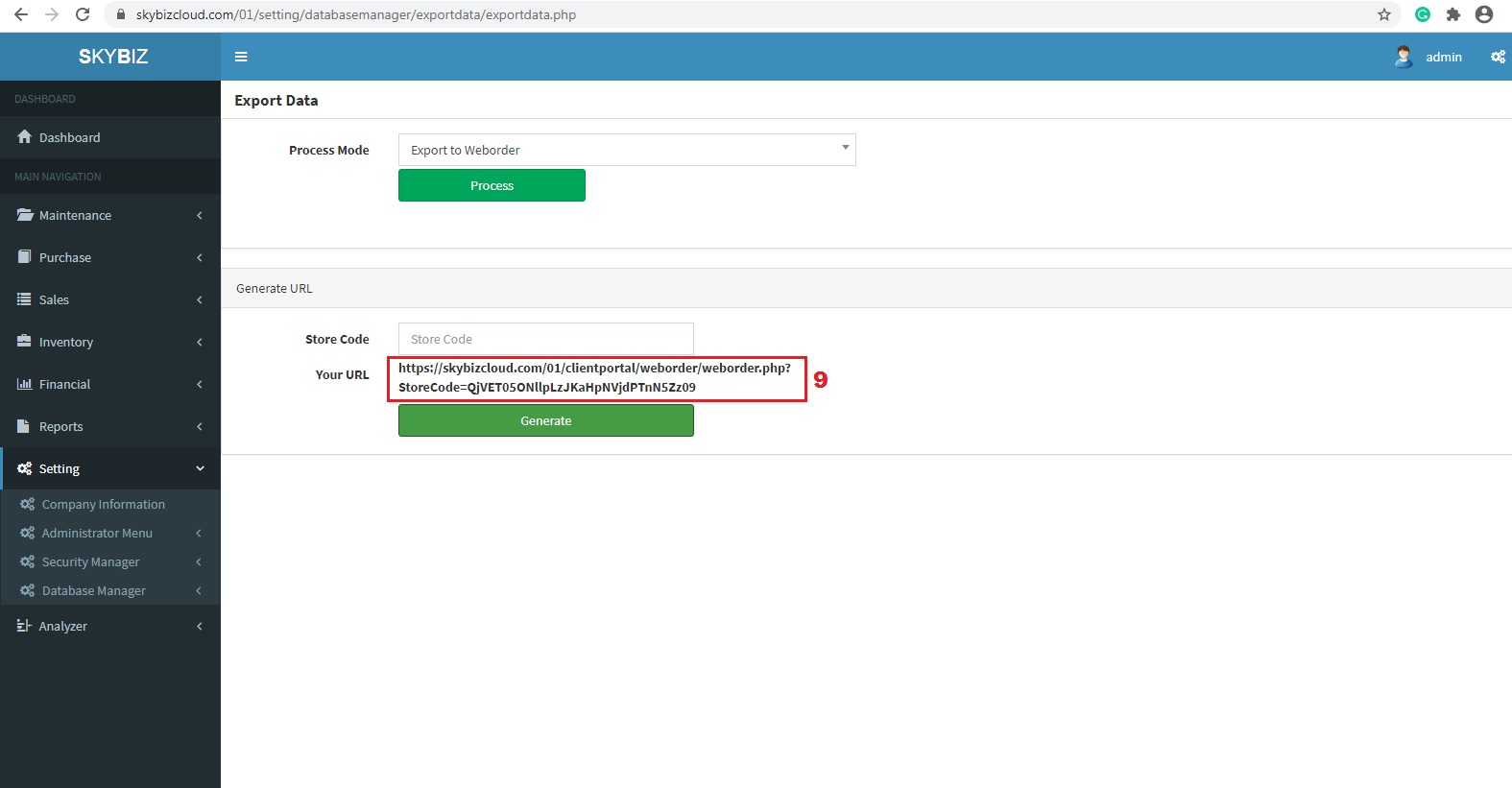
Link
5. After Generate, you will get the URL
6. Then, find any QR Generator on Website and Paste the Link copied
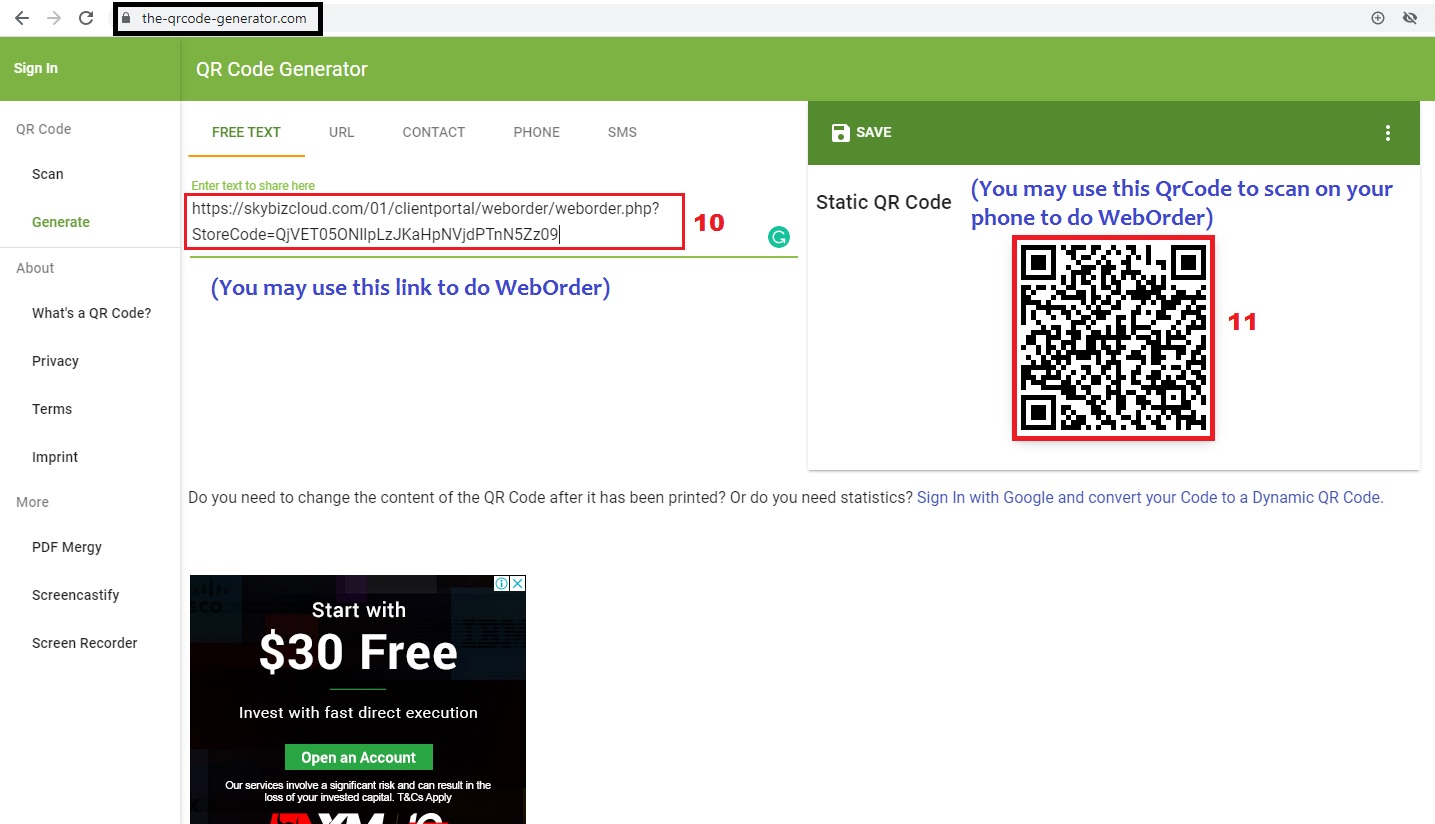
QrCode Generator
7. Use your Mobile Phone to Scan the QrCode
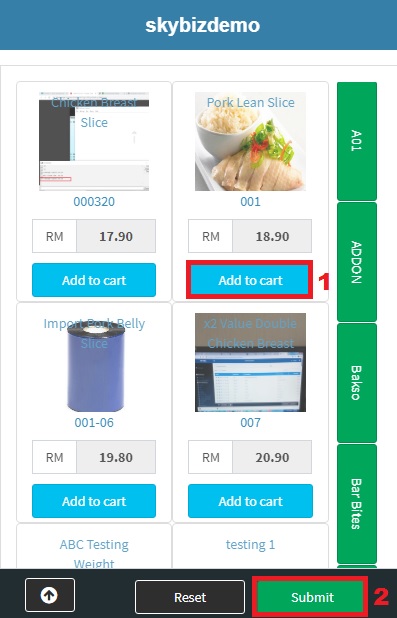
WebOrder on Phone
8. Add your order to Cart and Submit
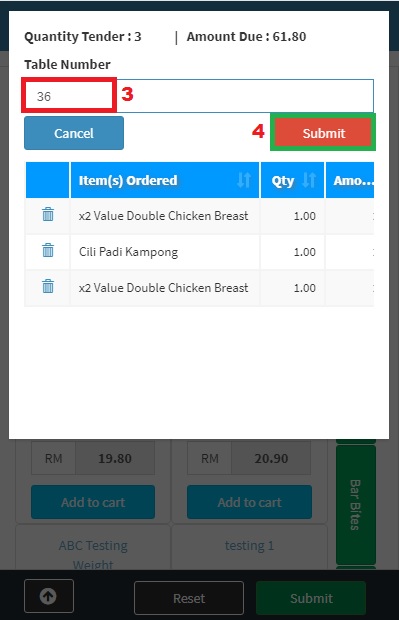
Key in Table Number and Submit
9. Key in the table number and Submit
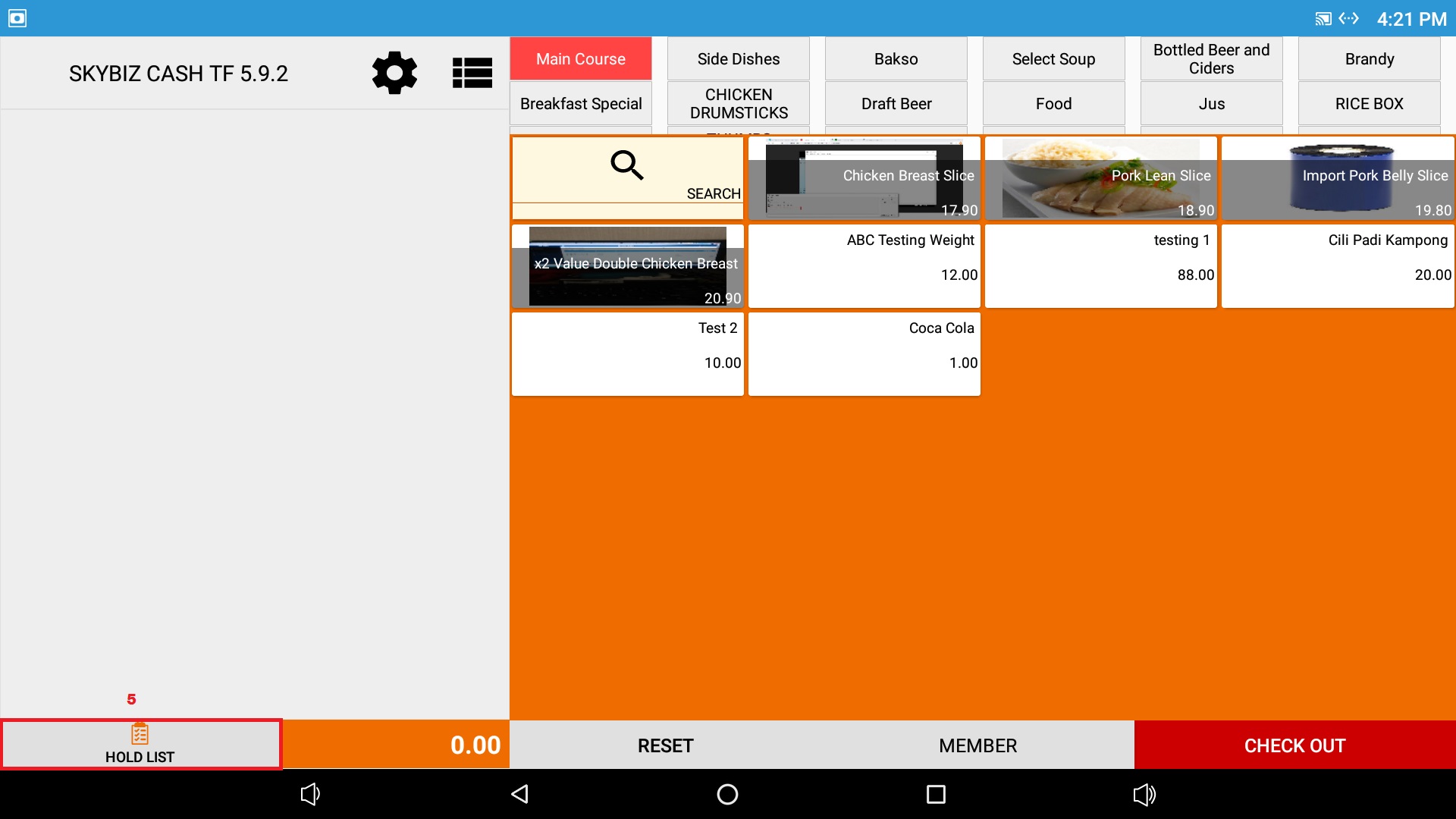
Pos System
10. Then on the Pos System>>Go to Hold List
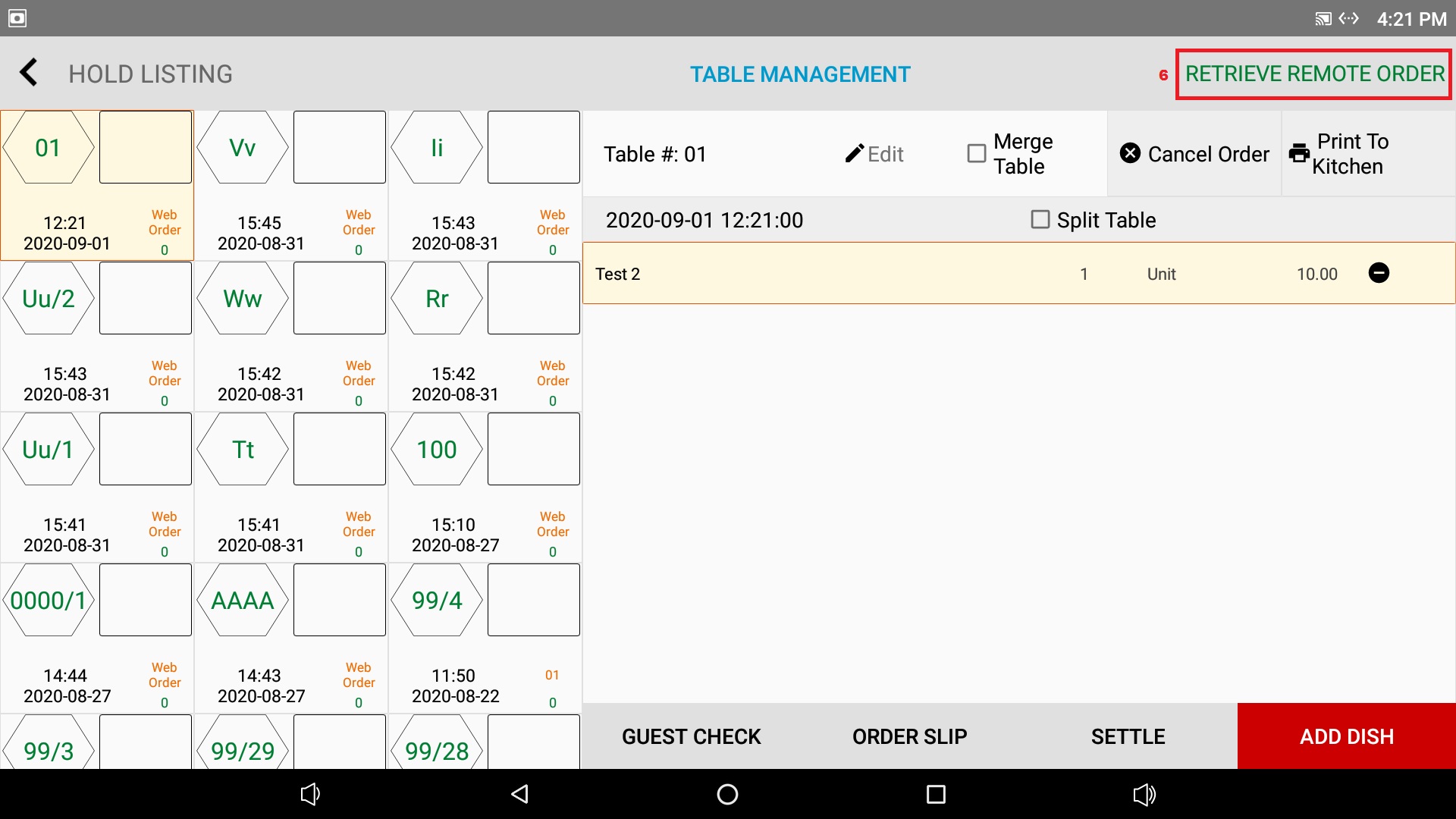
Retrieve Remote Order
11. Click Retrieve Remote Order
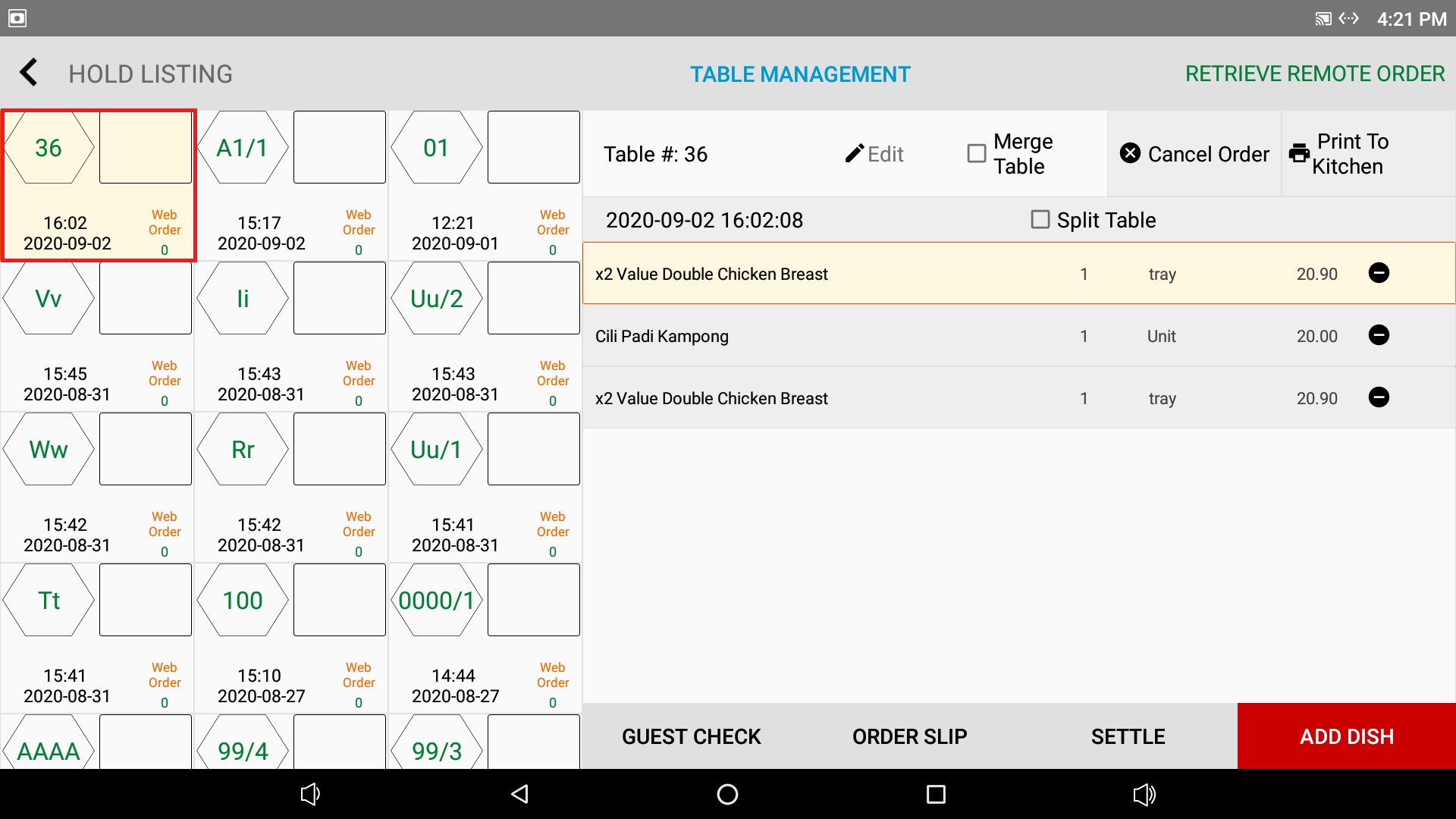
WebOrder Export Successfully
12. Then your WebOrder will
Powered By : SKYBIZ ® Beyond Cloud ™