Below are guideline(s) to generate credit note for cash receipt transaction :
- Menu Sales>>Cash Receipt>>Listing.
- At button … , click generate credit note
-
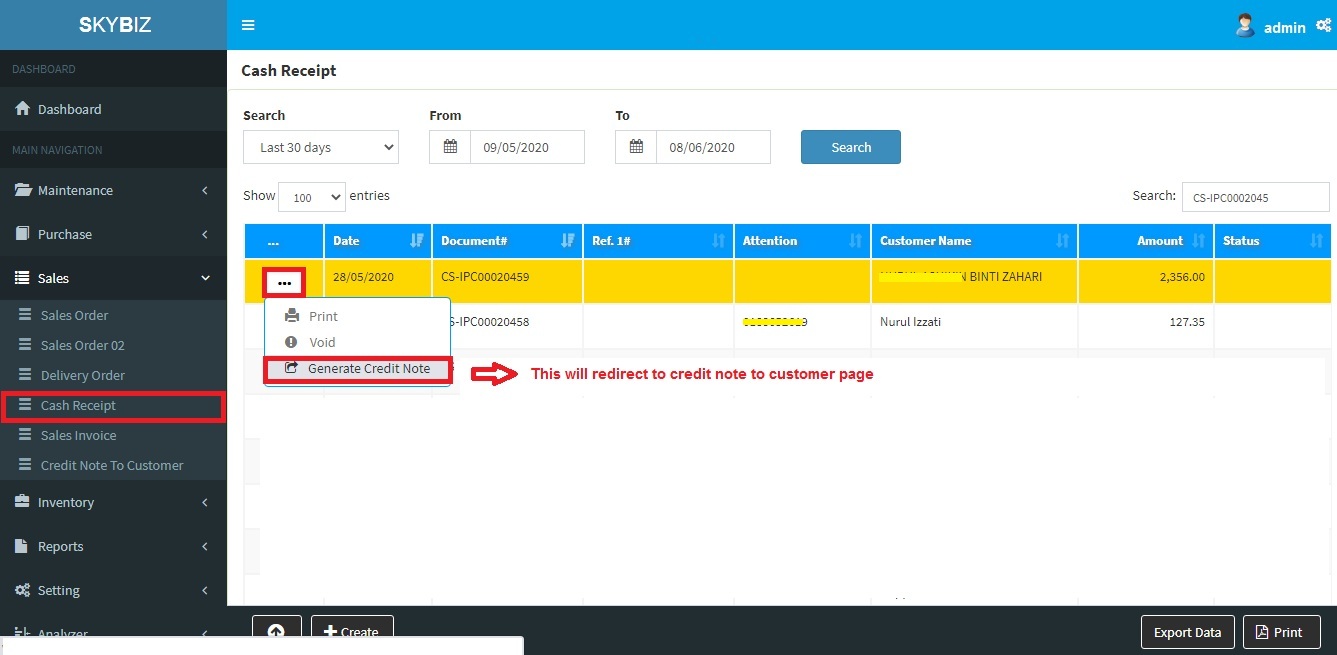
Cash Receipt Listing
-
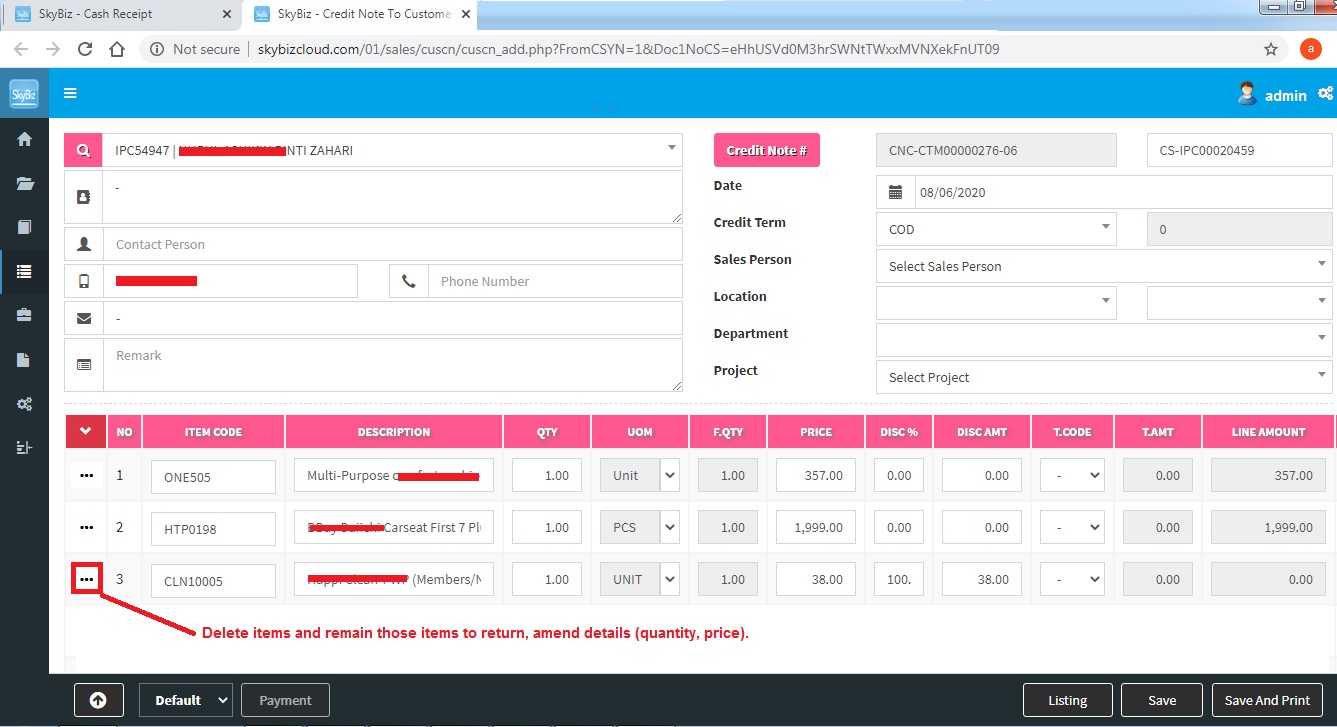
Credit Note To Customer
- Delete item(s) and remain those items to return.
- Amend details such as quantity and price to be return.
- Click Save to proceed credit note transaction.
Powered By : SKYBIZ ® Beyond Cloud ™