Below are guideline(s) to acknowledge receive stock by item :
- Click on menu Inventory>>Transfer Stock – IN and click “Receive Stock By Item“.
-
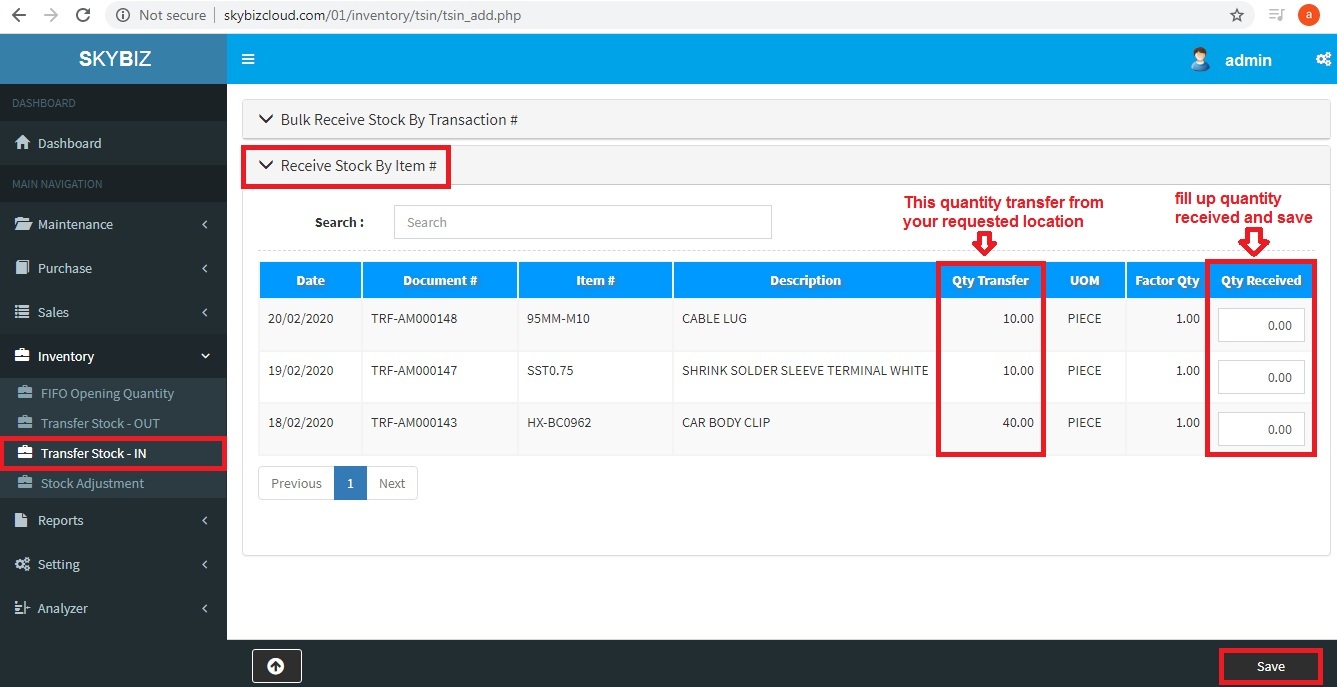
Transfer Stock – Acknowledge Receive Stock
- Type your quantity received from other location at column “Qty Received“.
- Click button “Save” to proceed confirm quantity was correct.
Powered By : SKYBIZ ® Beyond Cloud ™