Below is a guideline(s) is showing how to back up the SkyBiz System Database:
- Please go to the “PLAY STORE” on the device
- Search (SQLite)
- Download
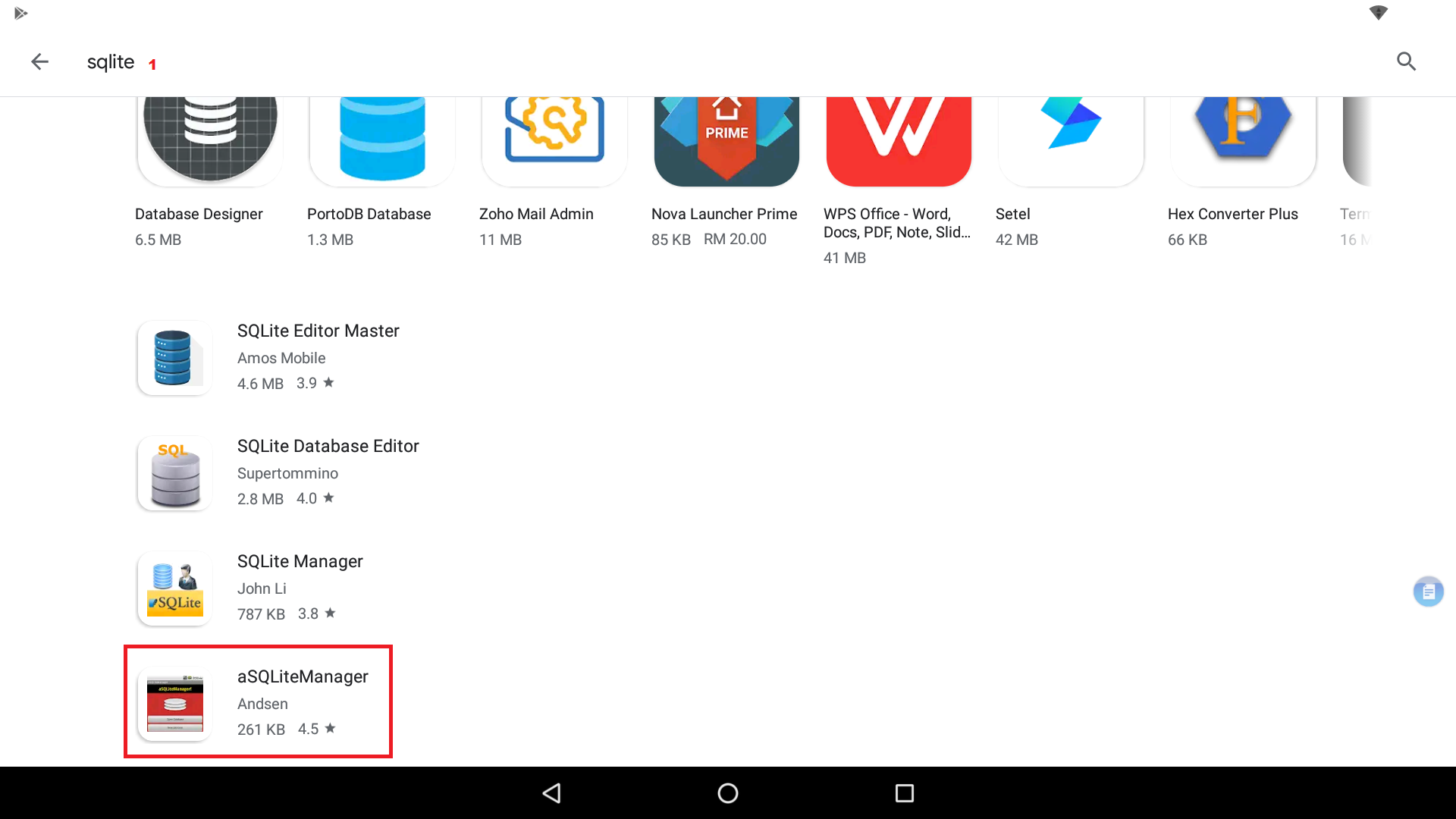
SQLite
4.After download go to the SkyBiz Cash System
5.Press on the Rectangle Icon and Select Backup Database
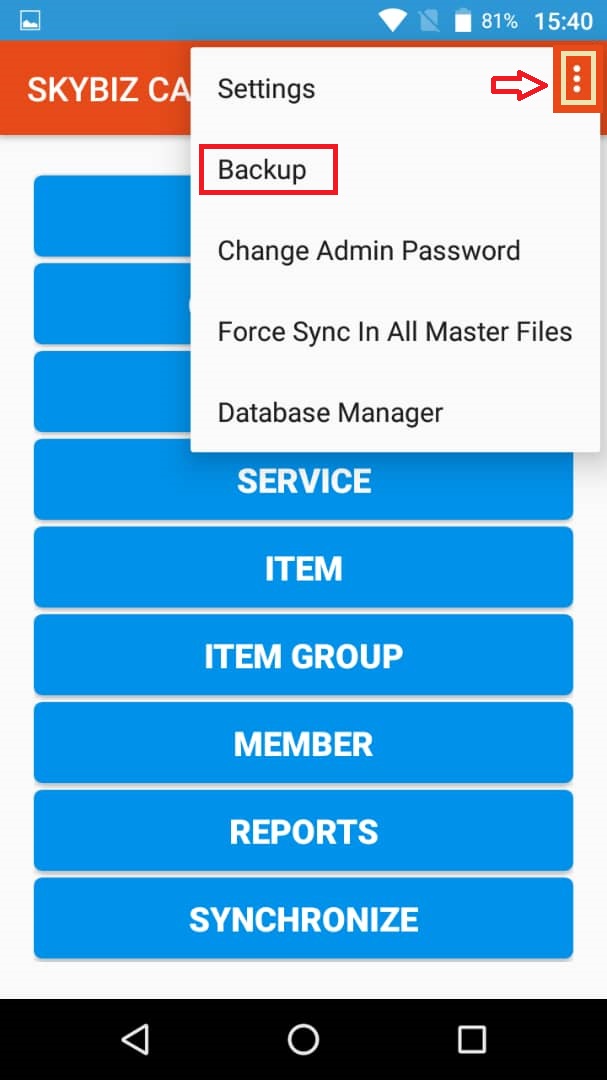
Mobile Version VF – Backup Database
6. Go to the downloaded SQLite
7. Click on Open Database
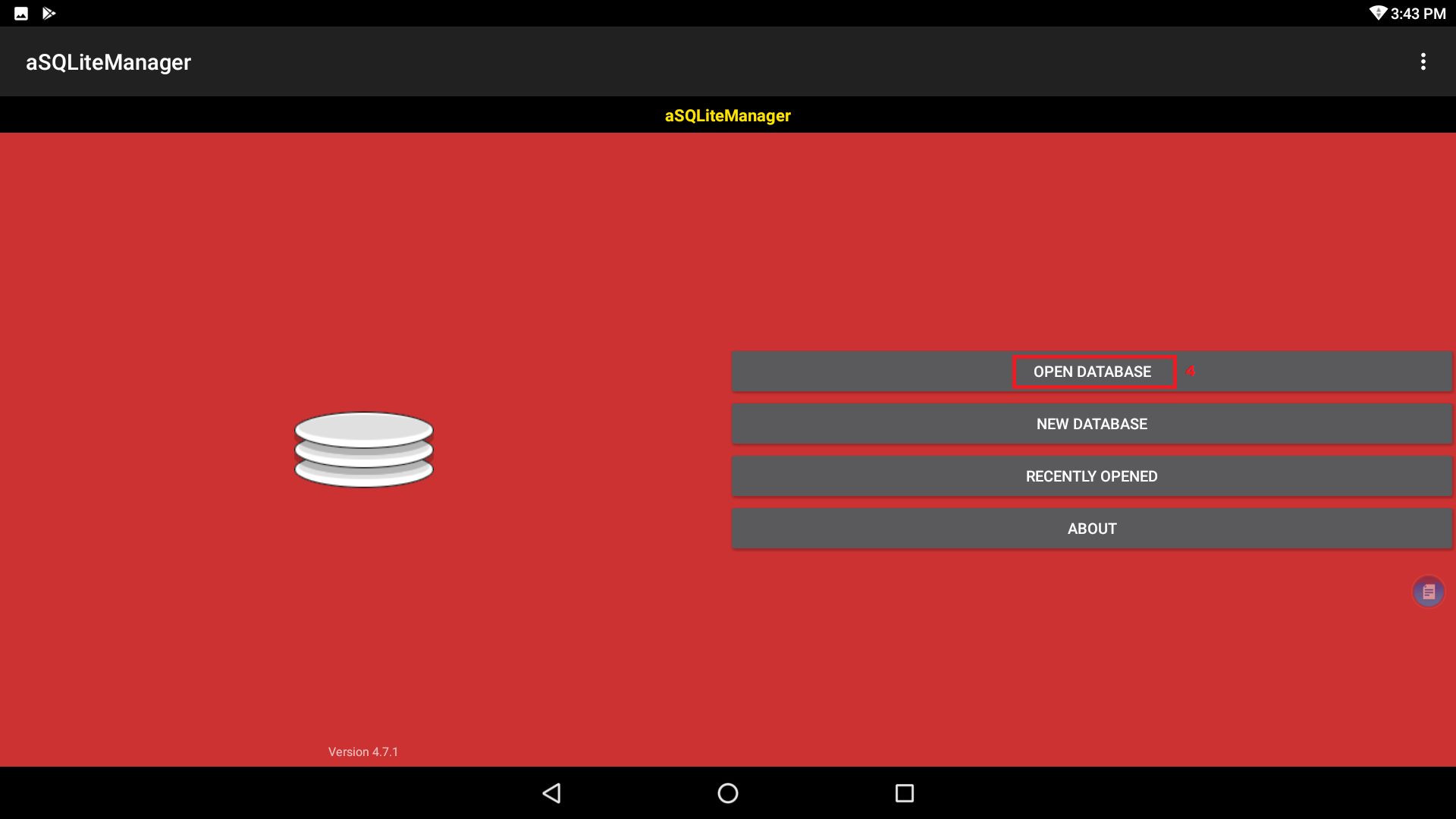
Open Database
8. Click on skybizcashVF.db
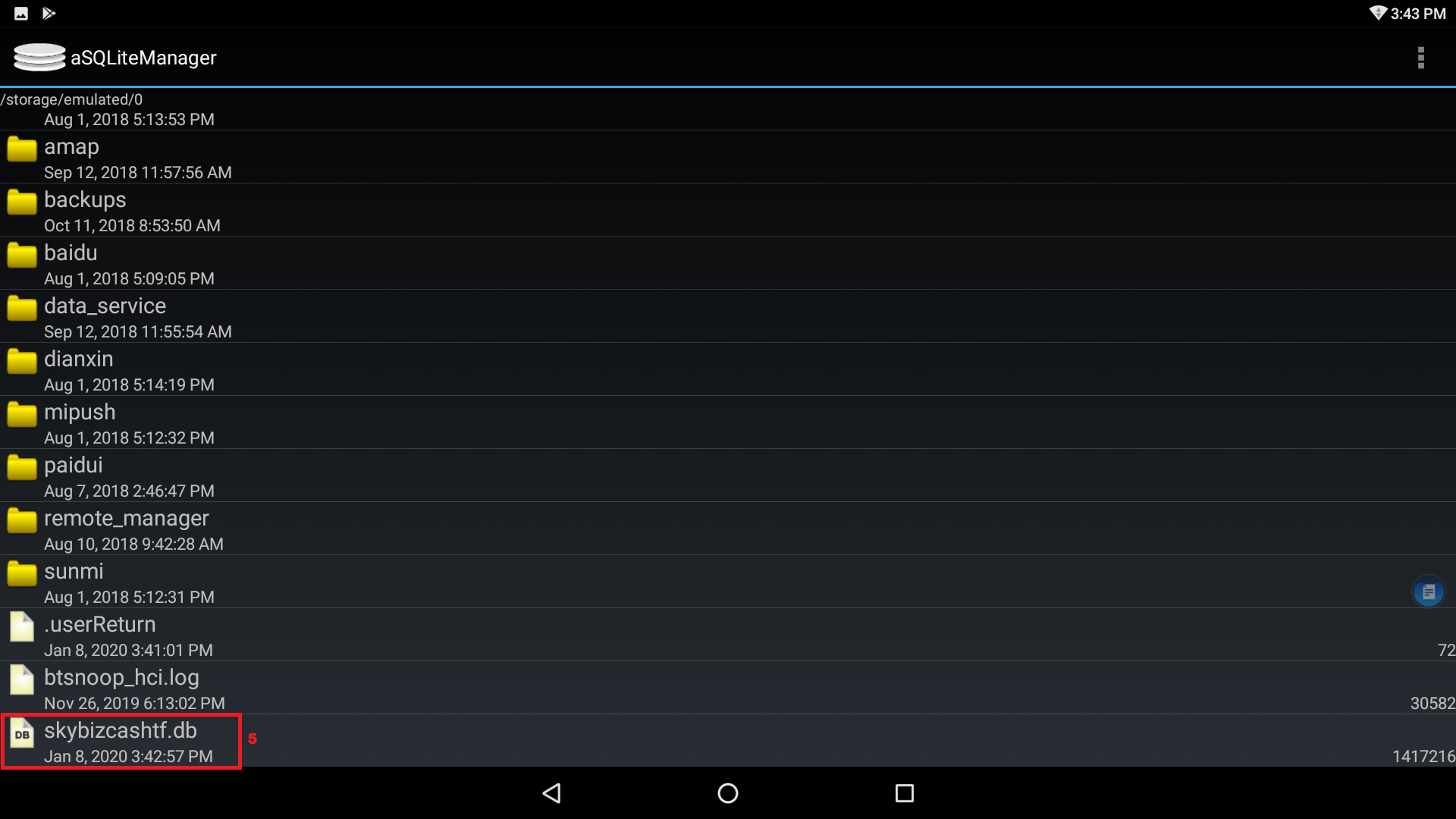
skybizcashtf.db
9. Click on the 3 dots on the right hand side
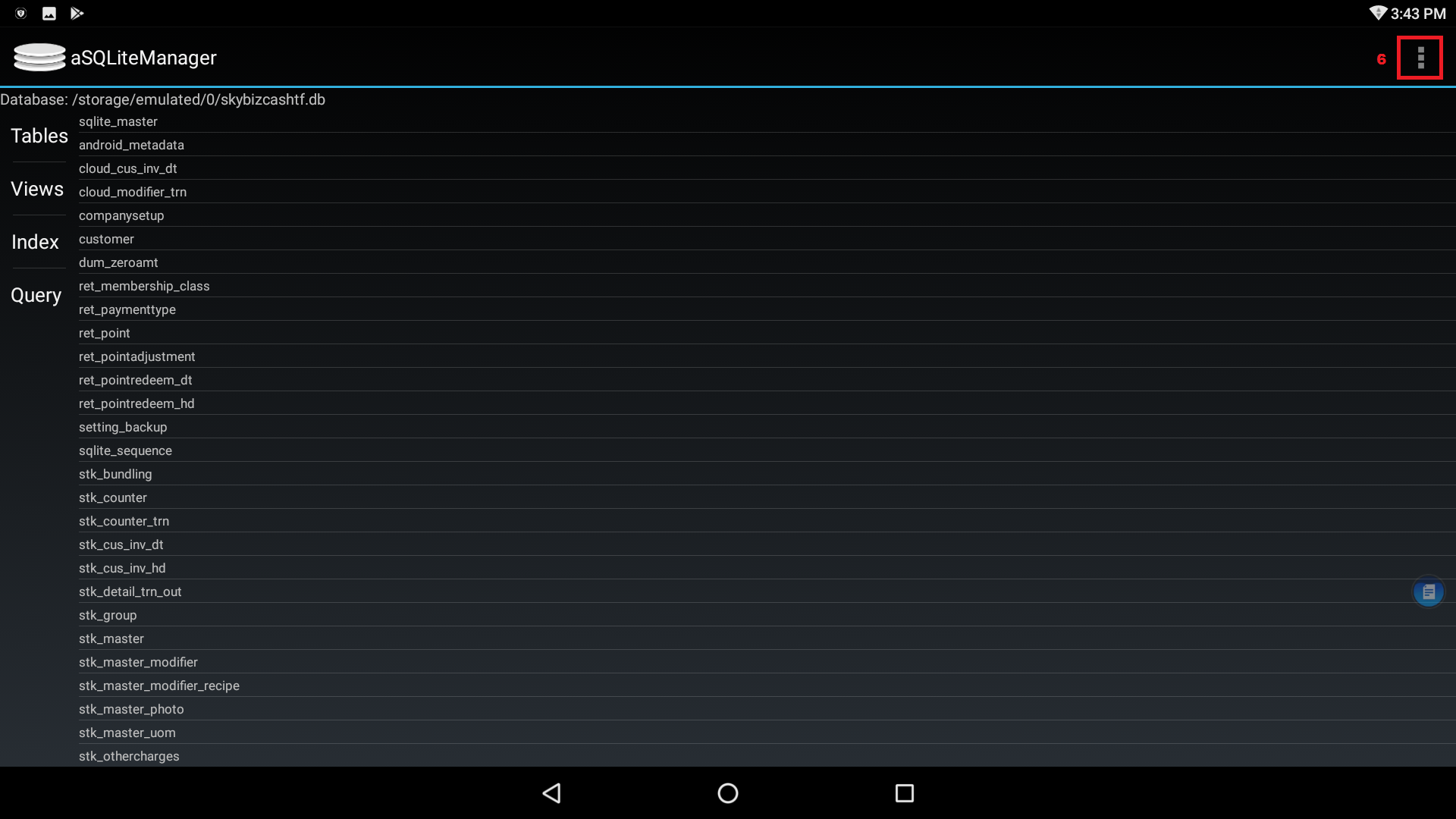
3 dots
10. Select Export Database
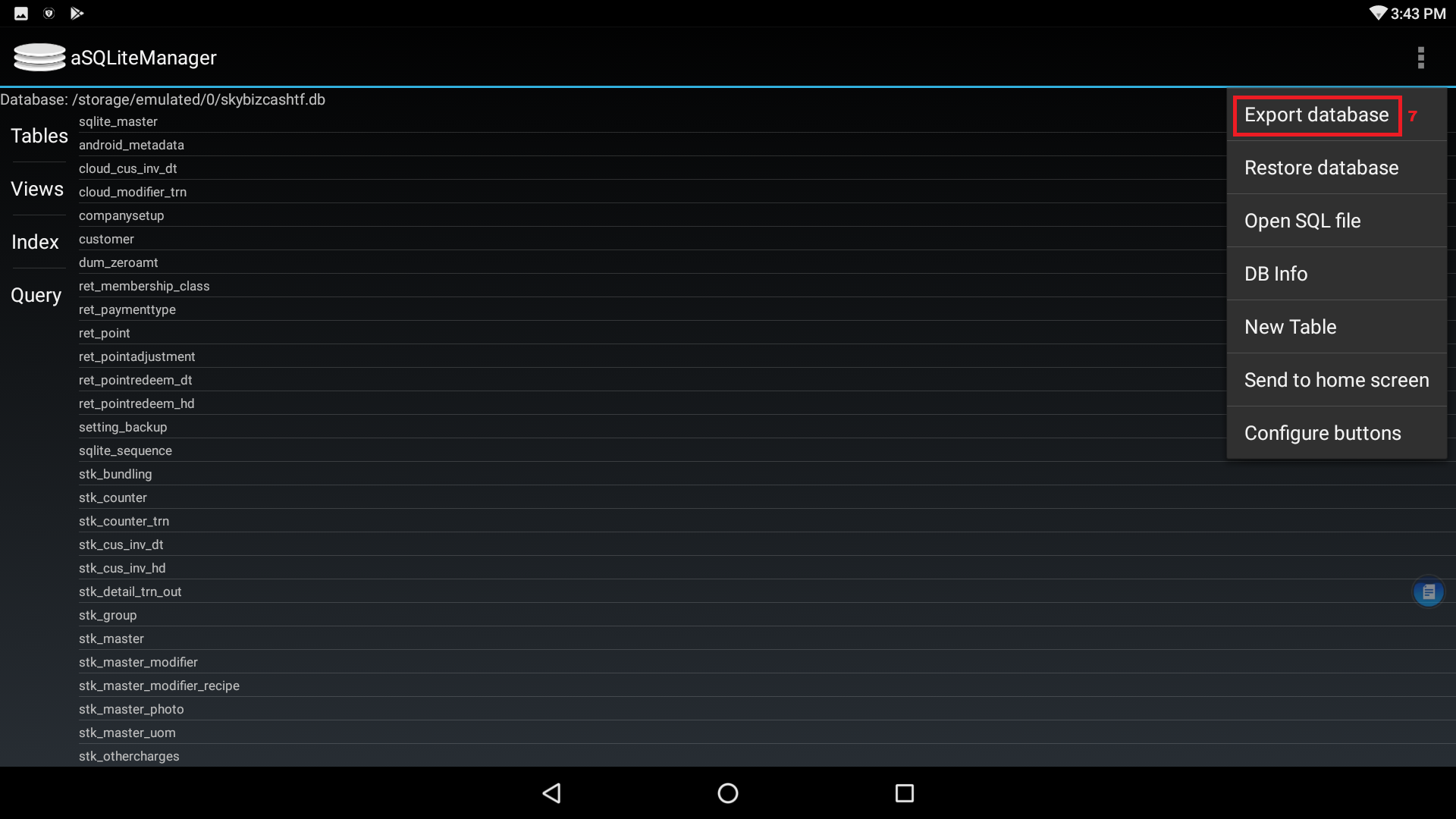
Export Database
11. After export successfully, Go to Setting on the device
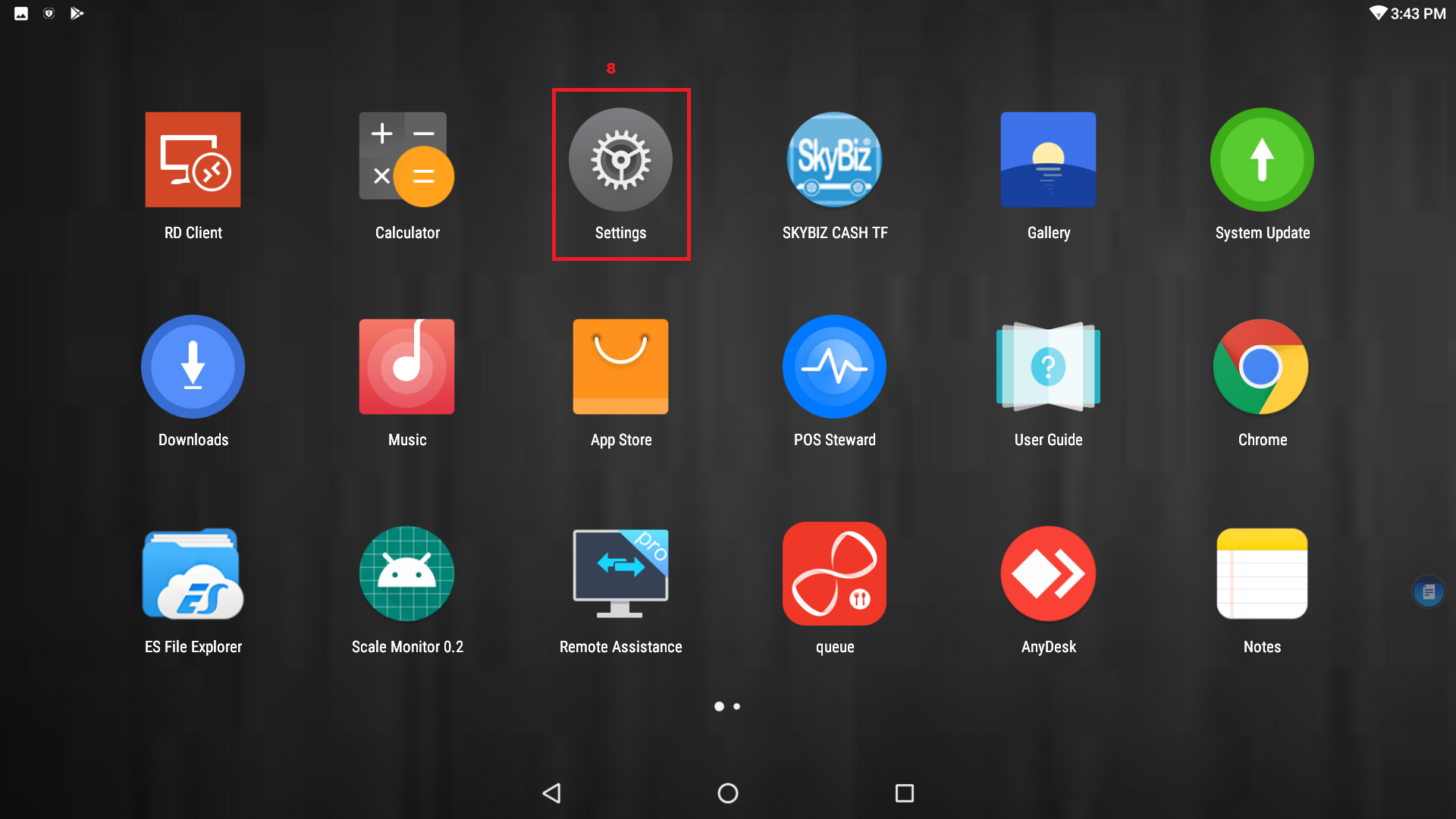
Setting
12. Click on the Storage

Storage
13. Click on the Explore

Explore
14. You may see this File

skybizcashvf.db
15. Please click on rename and check the file’s name.
16. skybizcashvf.db

skybizcashvf.db
17. Send us the file or upload the file in DROPBOX and share the file with us.
Powered By : SKYBIZ ® Beyond Cloud ™