Below are guideline(s) to setting MySQL Server Port Exception :
- Go to “Start” menu and search “Window Firewall with Advance Security” and click on it.
- Right Click “Inbound Rules” and choose”New Rule“. Rule Type, choose “Port” and click next.
-
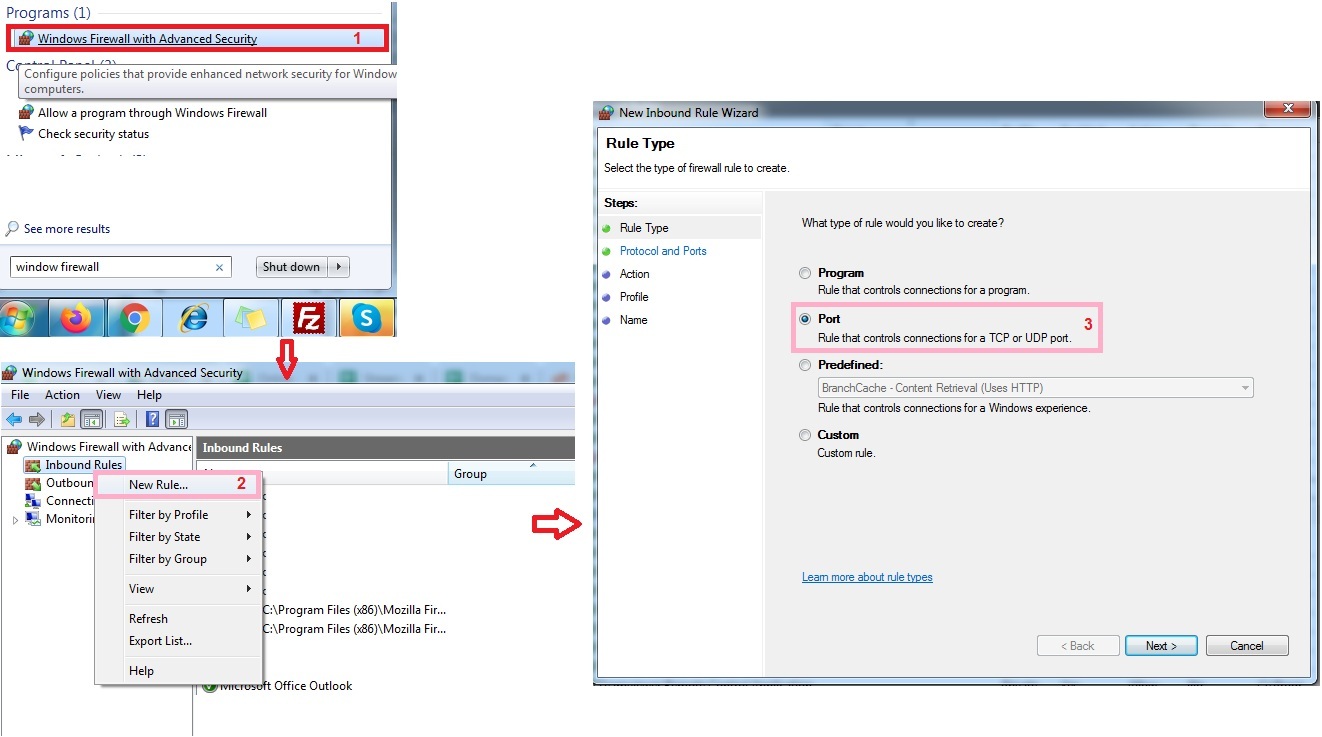
Window Firewall
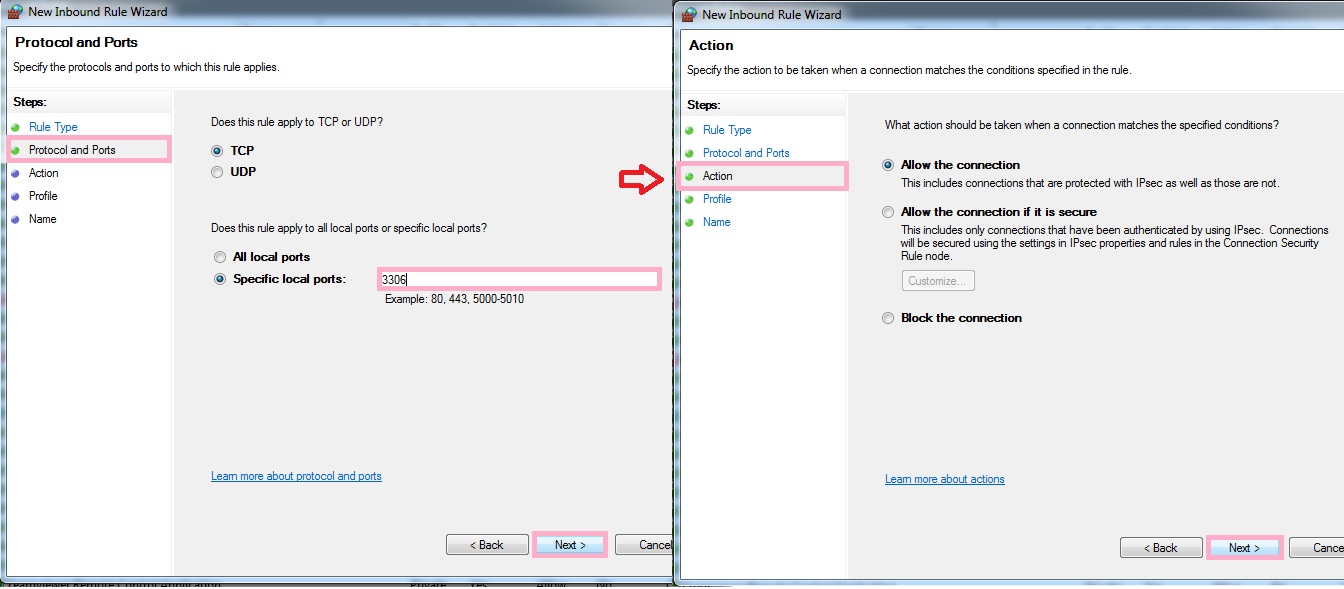
- Protocol and Ports>>Specific local ports>>Type 3306 and click Next.
- Action choose “Allow the connection” and click Next.
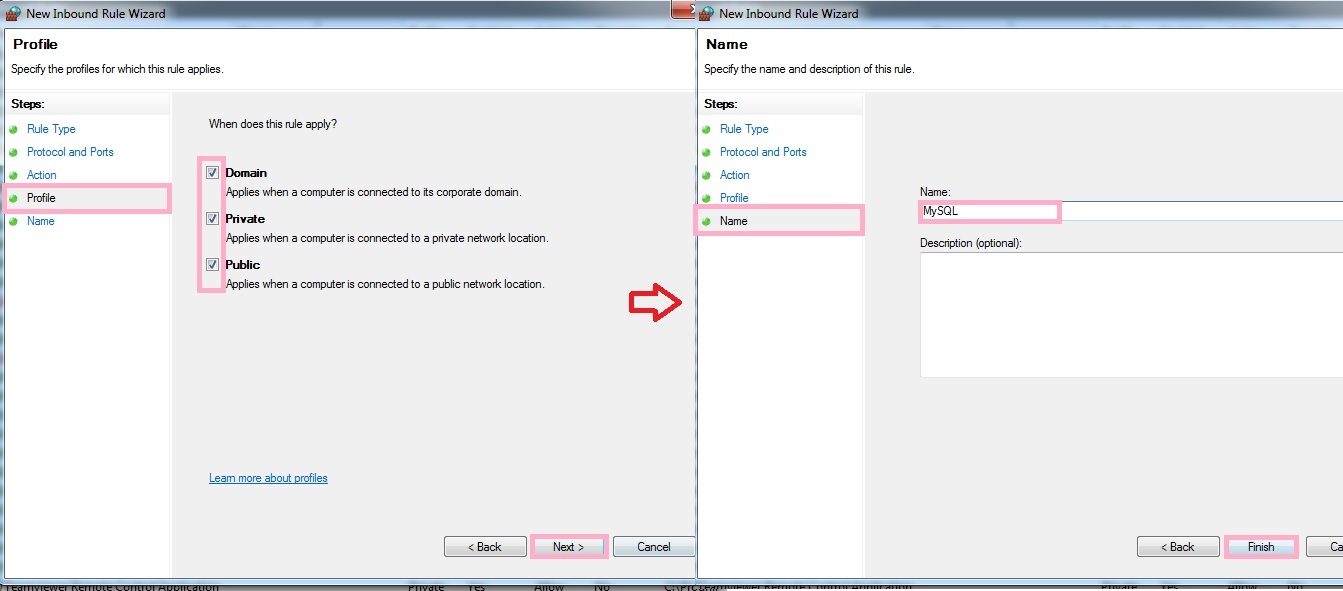
- Profile , tick [Domain, Private, Public] and click Next.
- Name, you may named it as MySQL or 3306 and click Finish.
Powered By : SKYBIZ ® Beyond Cloud ™