Below are guideline(s) to disallow re-select preset profile setting:
- Go to Setting>>Security Manager>>User Profile Management.
- Follow screen shot below.
-
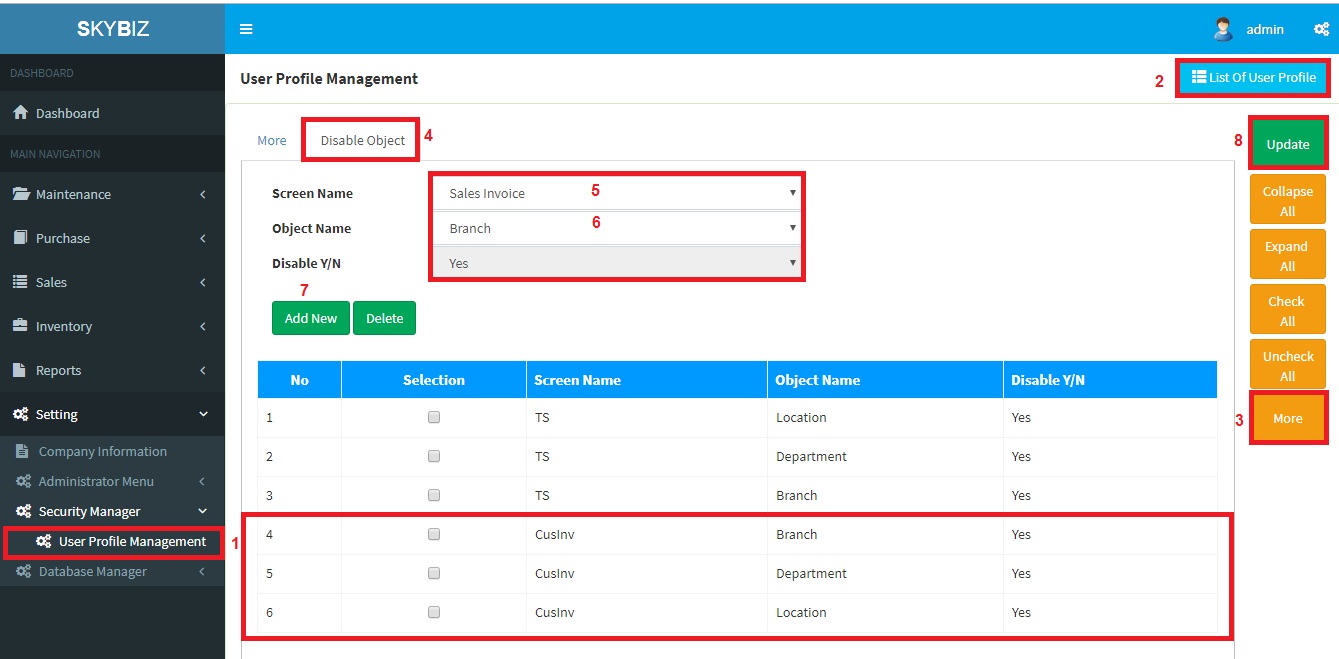
User Profile Management
-
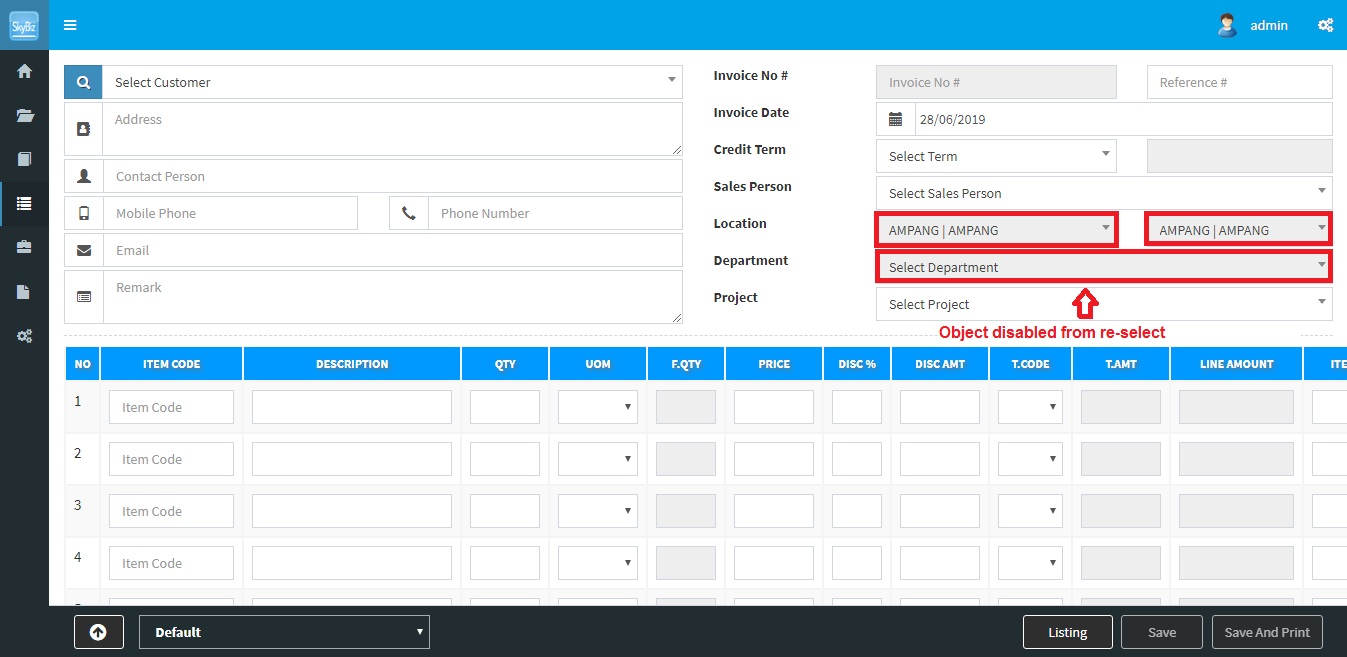
Sales Invoice after disable object
Powered By : SKYBIZ ® Beyond Cloud ™