Below are guideline(s) to activate “payee/payor” :
- Click “MyFinancial” and go menu System>>Administrator Menu>>General Setup and click on it.
- System Screen Setting page, tick “Payor” and click button “Save“.
-
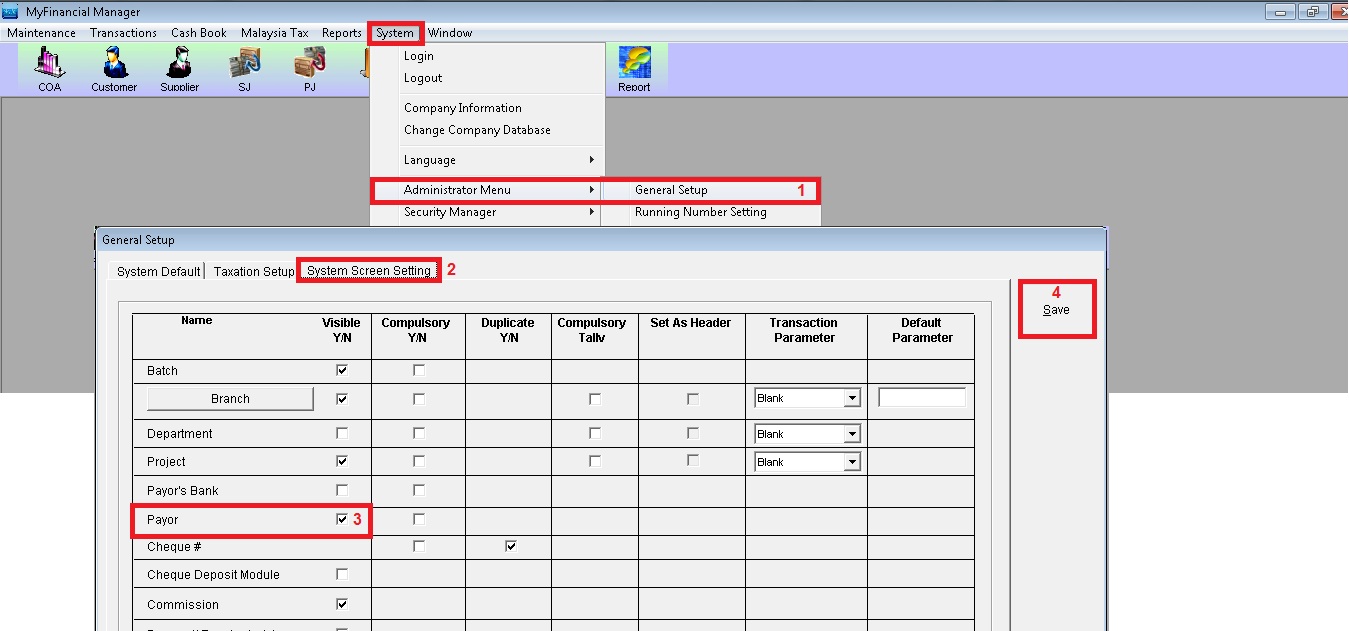
General Setup
- To maintain payee master file, click Menu “Maintenance>>General Ledger Maintenance>>Payee/Payor“.
- Key in all information and click button “Add New“.
-
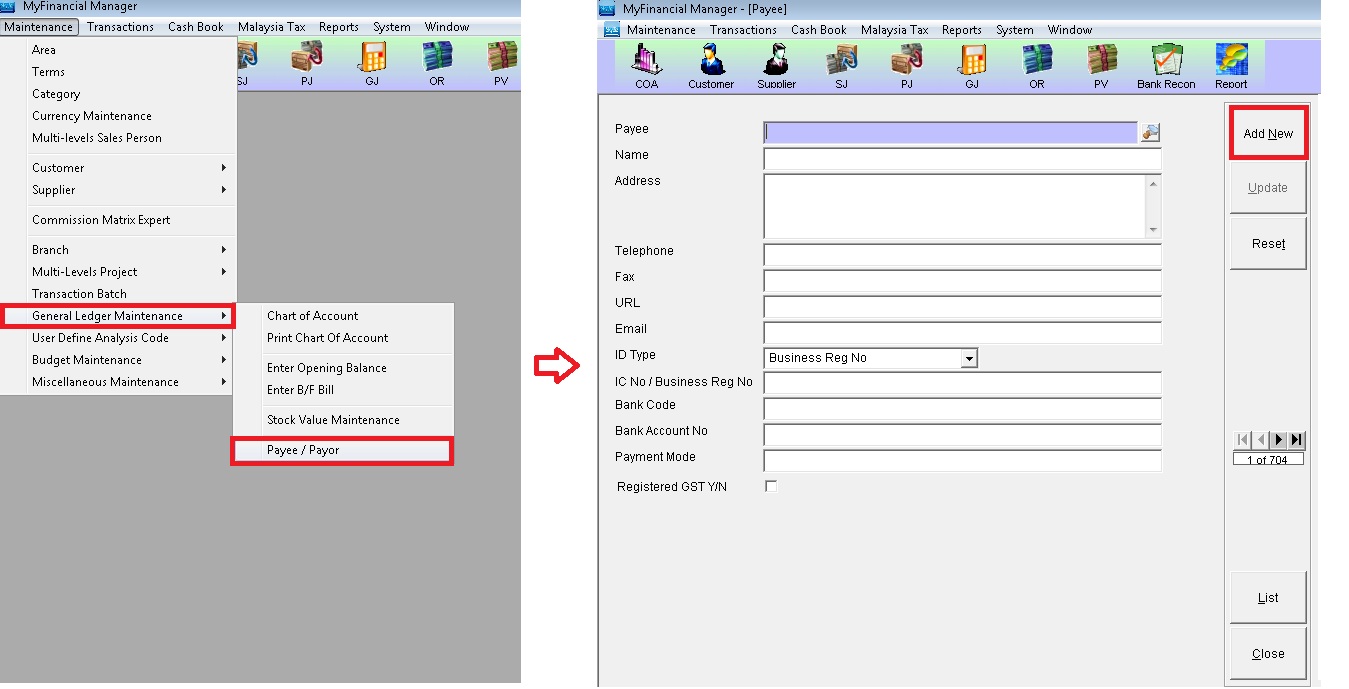
Payee Maintenance
Powered By : SKYBIZ ® Beyond Cloud ™