Below are guideline(s) to Export Sales using 3-D Analysis Expert:
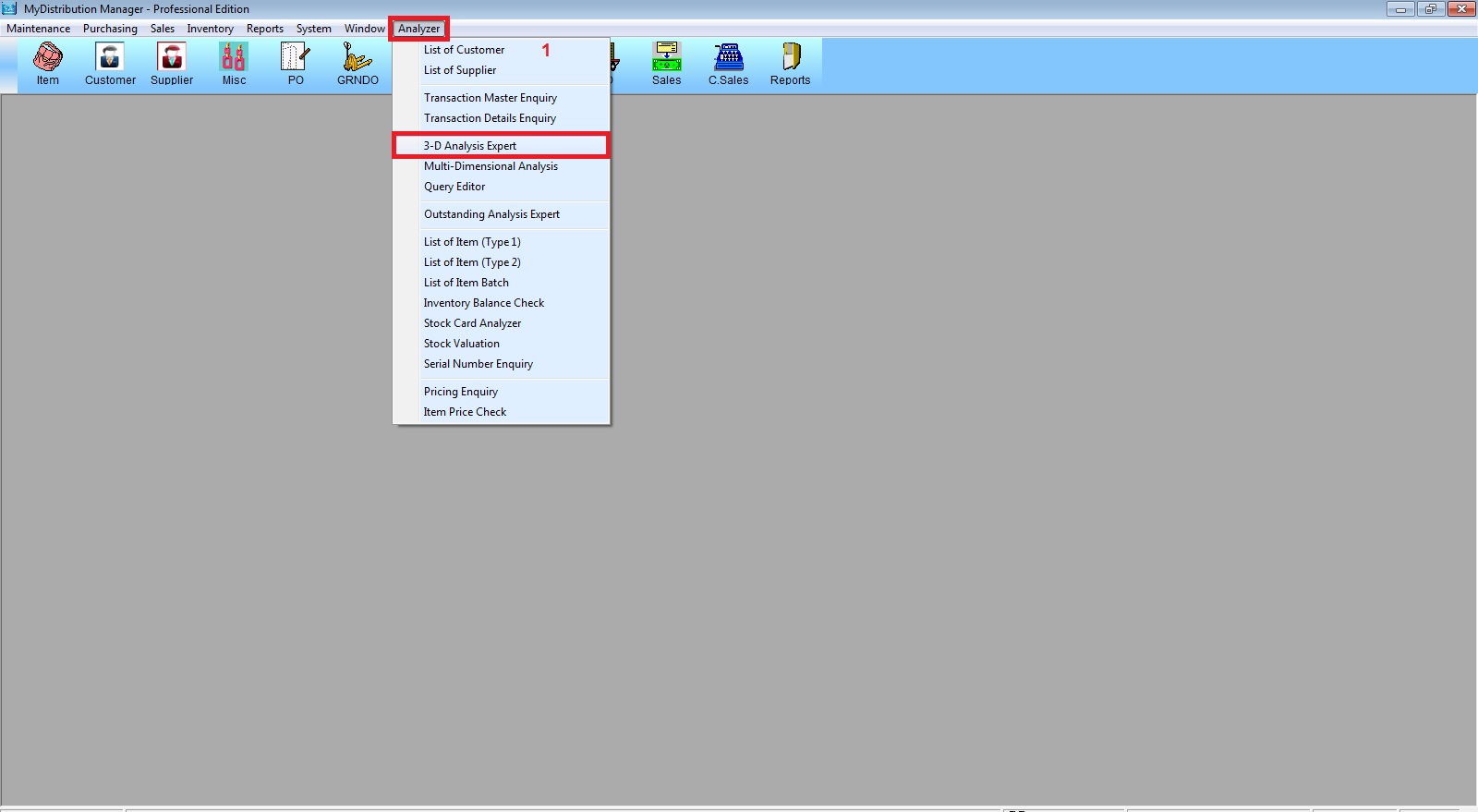
- Go to “Analyzer >> 3-D Analysis Expert“
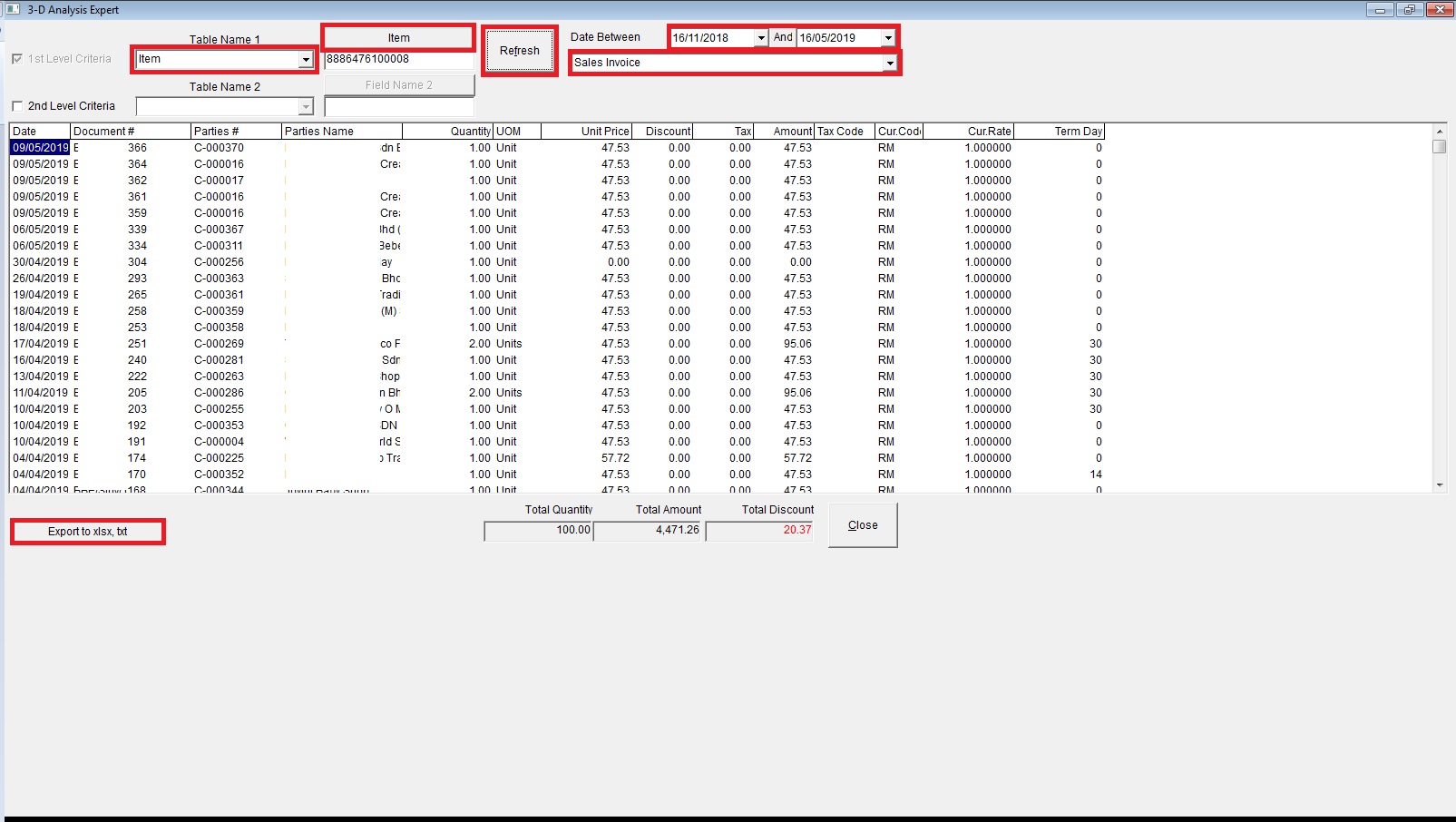
- Set “Date Between” then select “Sales Invoice“.
- Table Name 1 select “Item“ the select Item Code by clicking button “Item“.
- Click “Refresh” to show data then click “Export to xlsx,txt” to export (Follow screen shot steps).
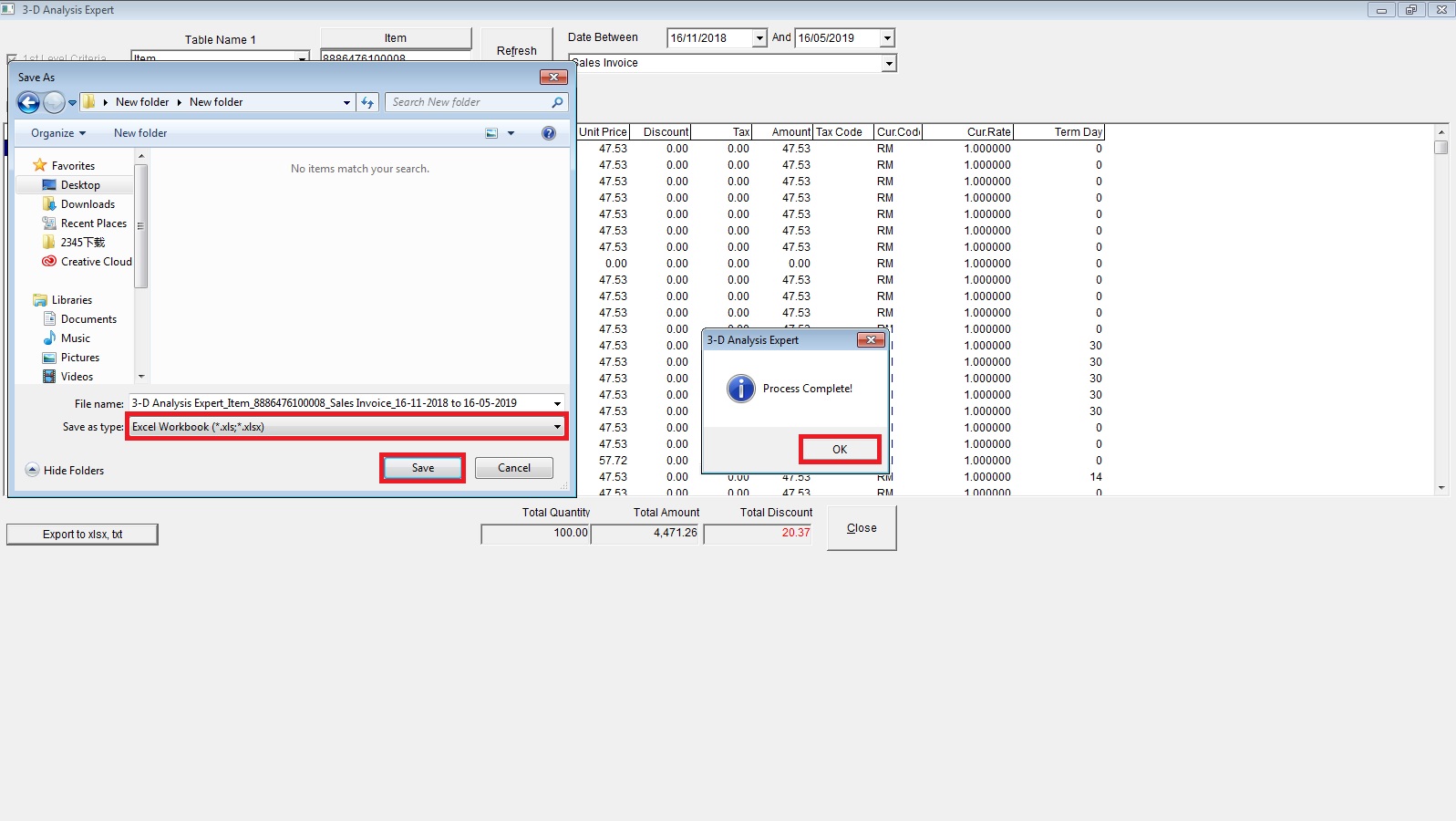
- Select folder where you want to save the exported file.
- Save as type: select “Text File or Excel” click “Save” then “OK“.
Powered By : SKYBIZ ® Beyond Cloud ™