Below are guideline(s) to change employee password:
- Change employee password only can be done at employee portal. Management do not allow to change employee password on behalf.
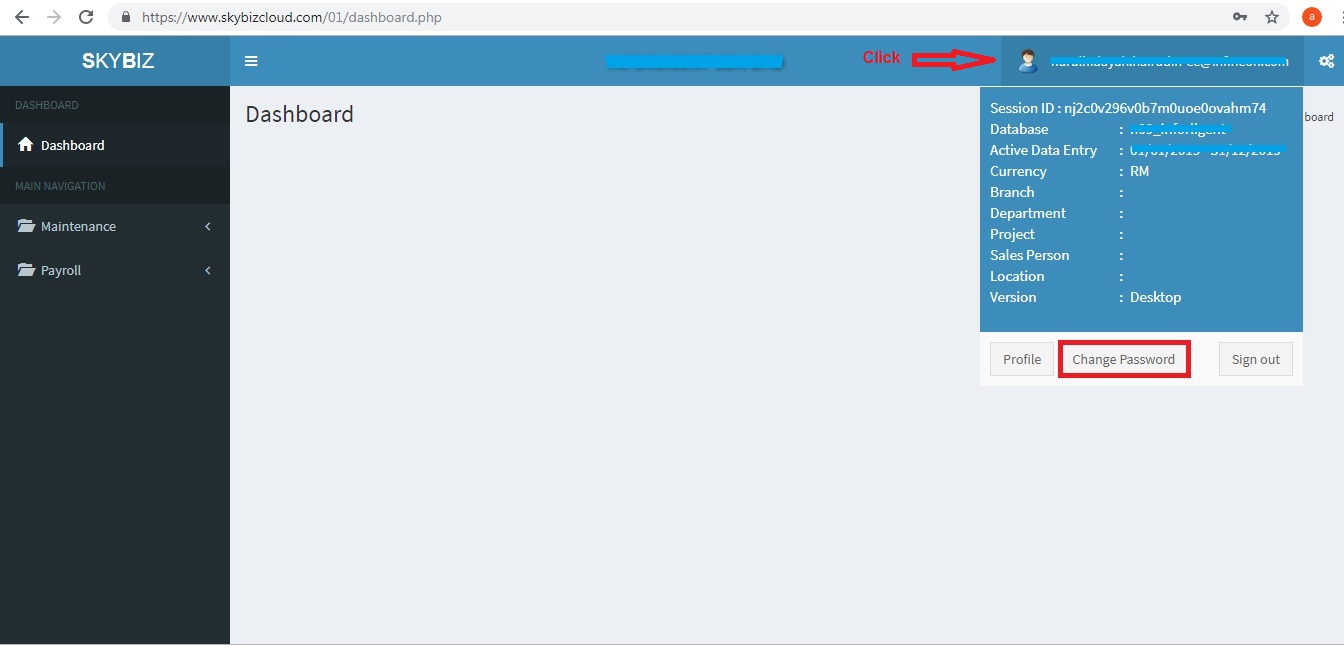
- Login into employee portal and click profile icon.
- Click “Change Password“.
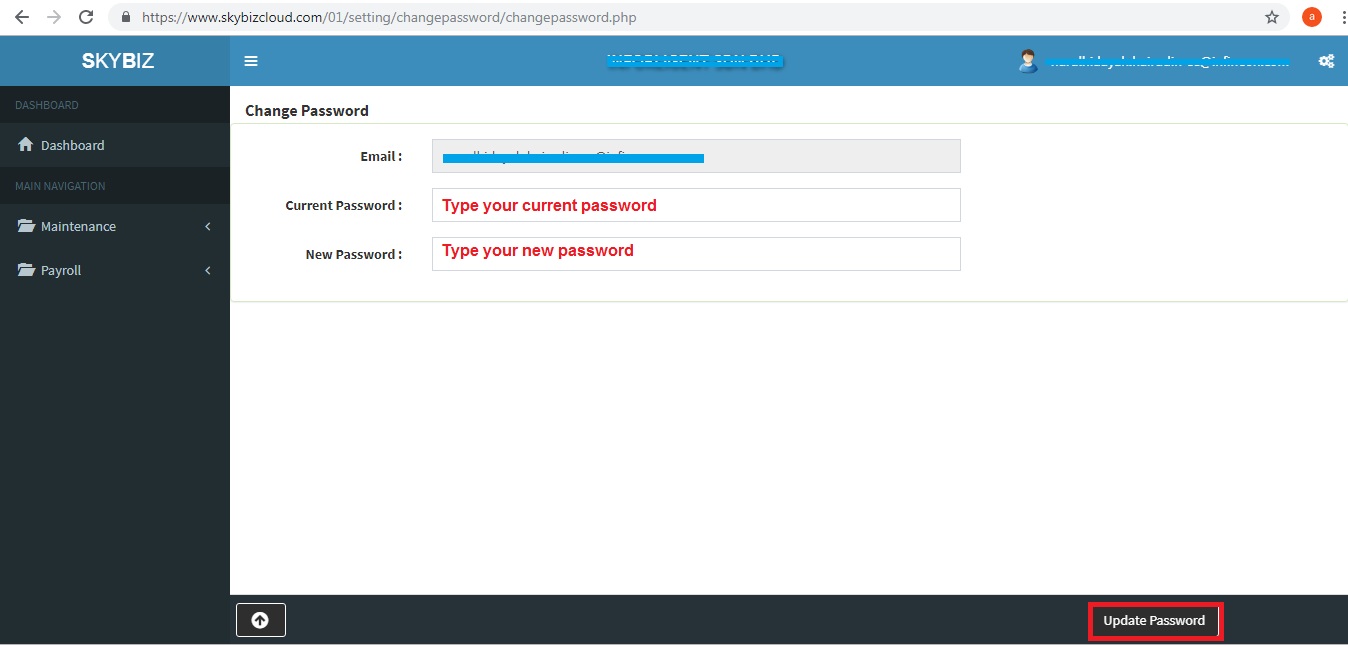
- Type your “Current Password“, “New Password“.
- Click “Update Password” to confirm amend password.
Powered By : SKYBIZ ® Beyond Cloud ™