Below Are Guidelines on Export Excel from Remote server [Through tsclient drive]
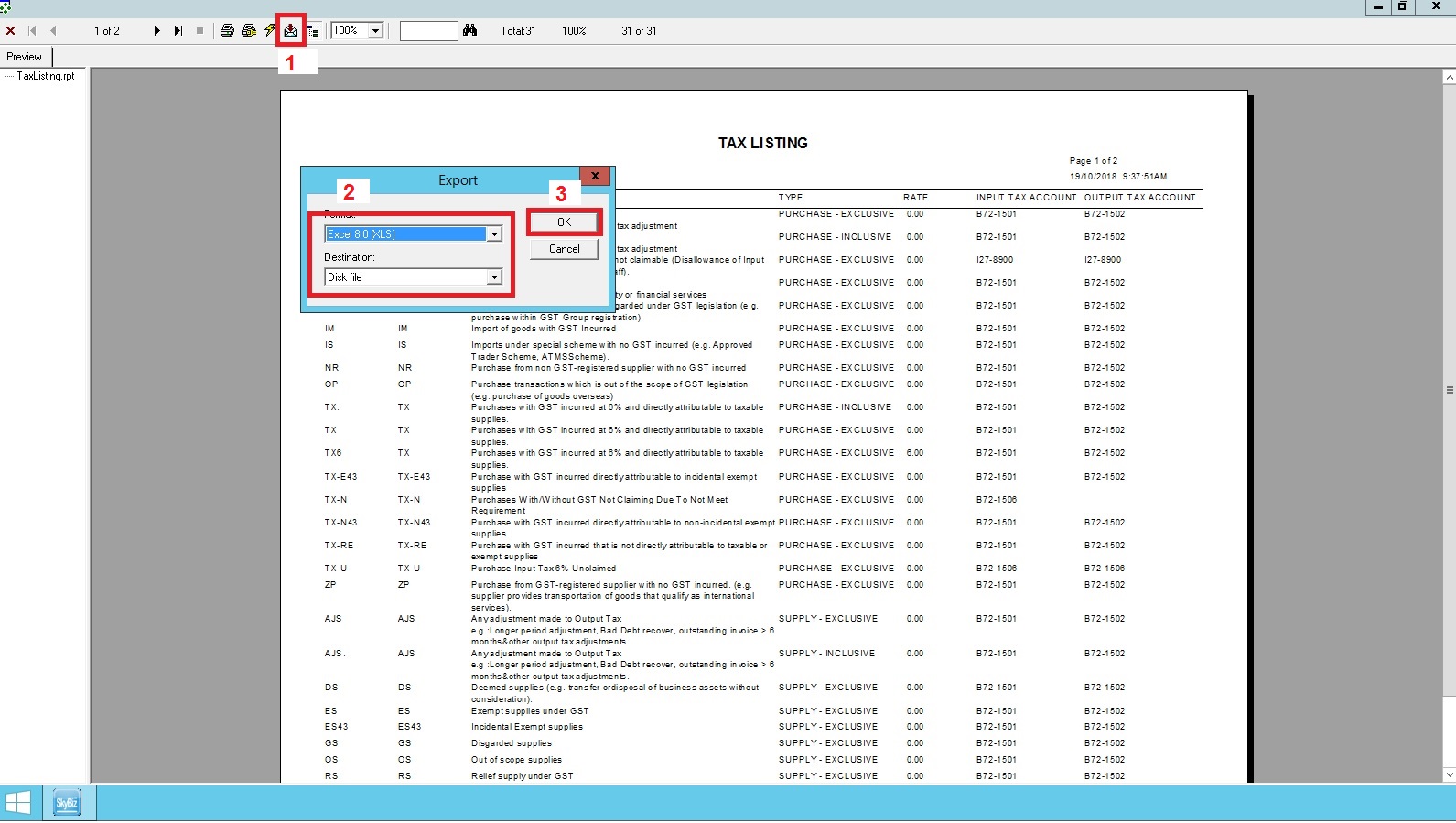
- 1.Click Envelop like Icon
- 2.Select Format (Excel) then Destination (Disk File)
- 3.Click Ok to continue
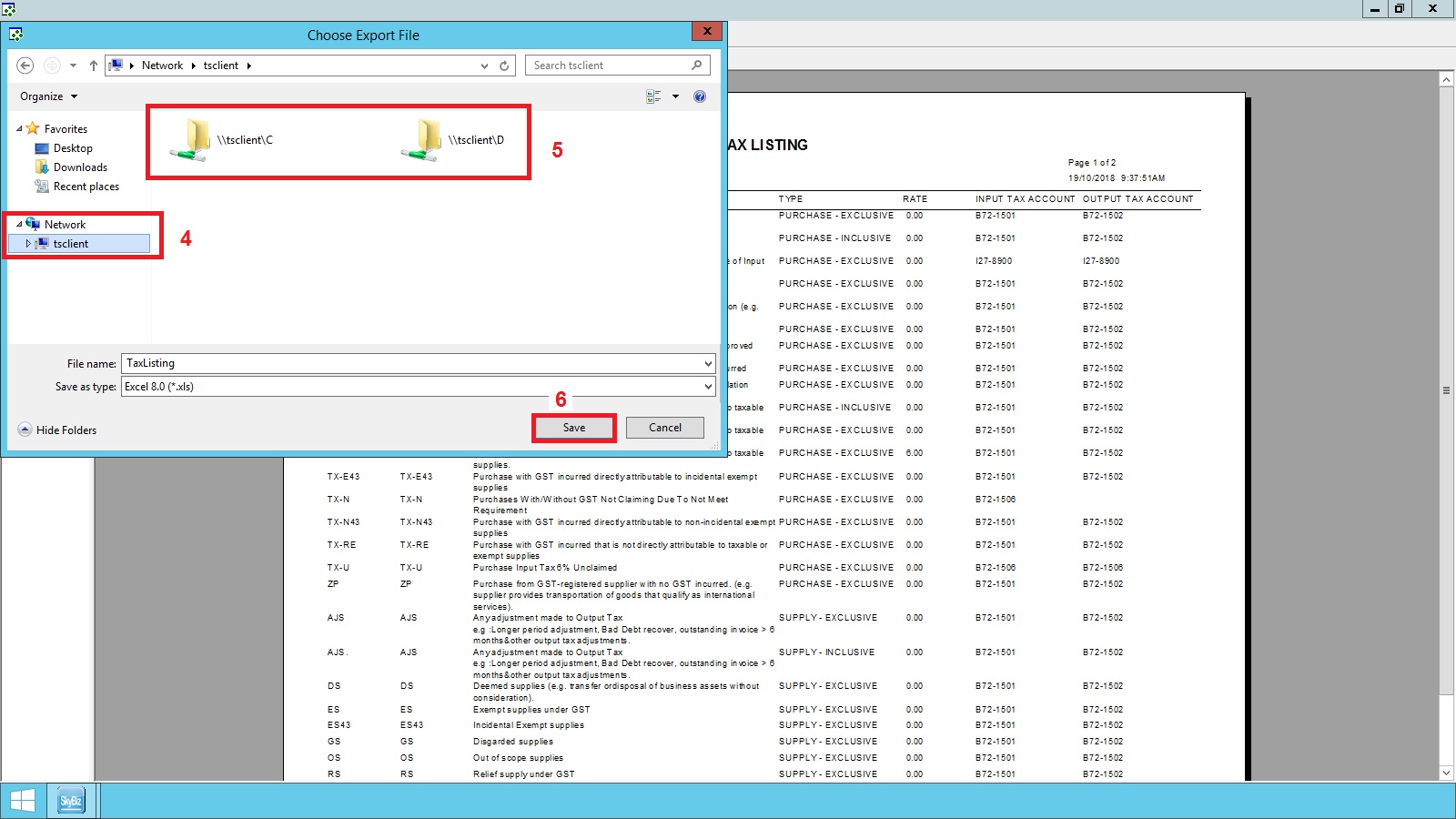
- 4.Click Network then tsclient
- 5.Select drive to save the file
- Save
Below Are Guidelines on Export Excel from Remote server [Through tsclient drive]