Below are guideline(s) to set allow negative item balance:
- Click “Security Manager>>User Profile Management>>Right 2>>.
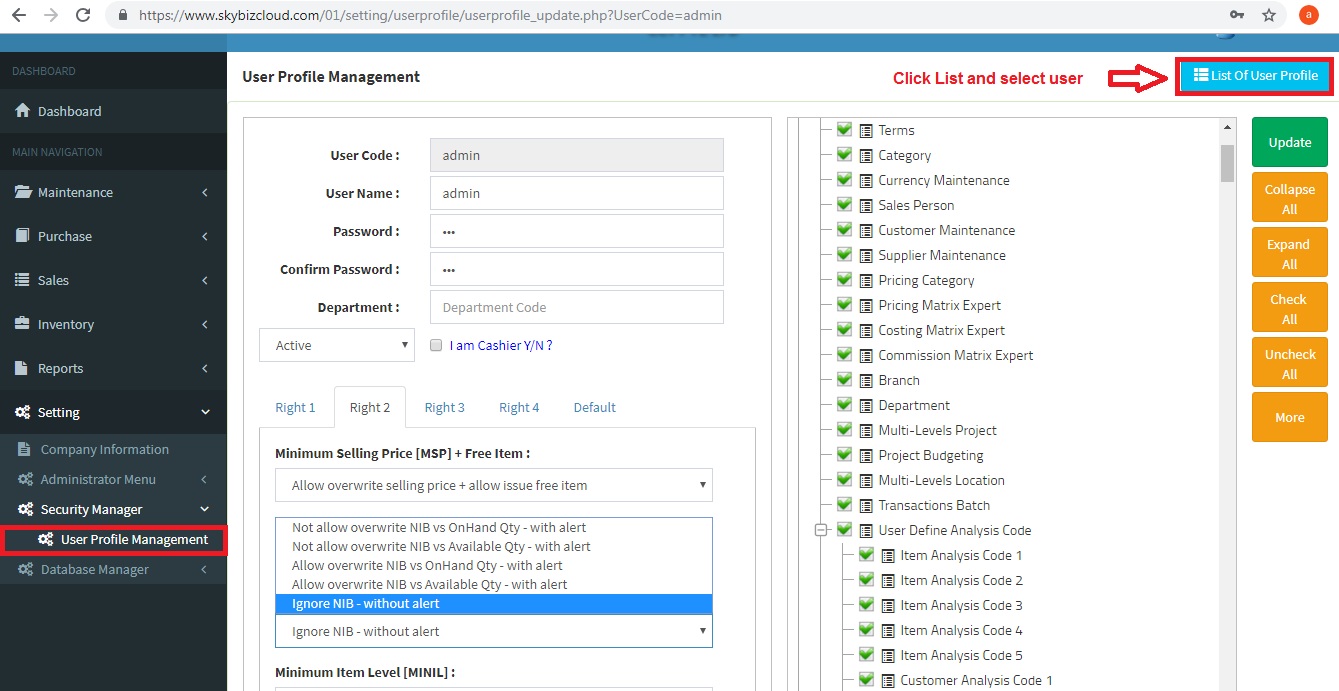
- Choose Negative Item Balance “Ignore NIB – without alert”.
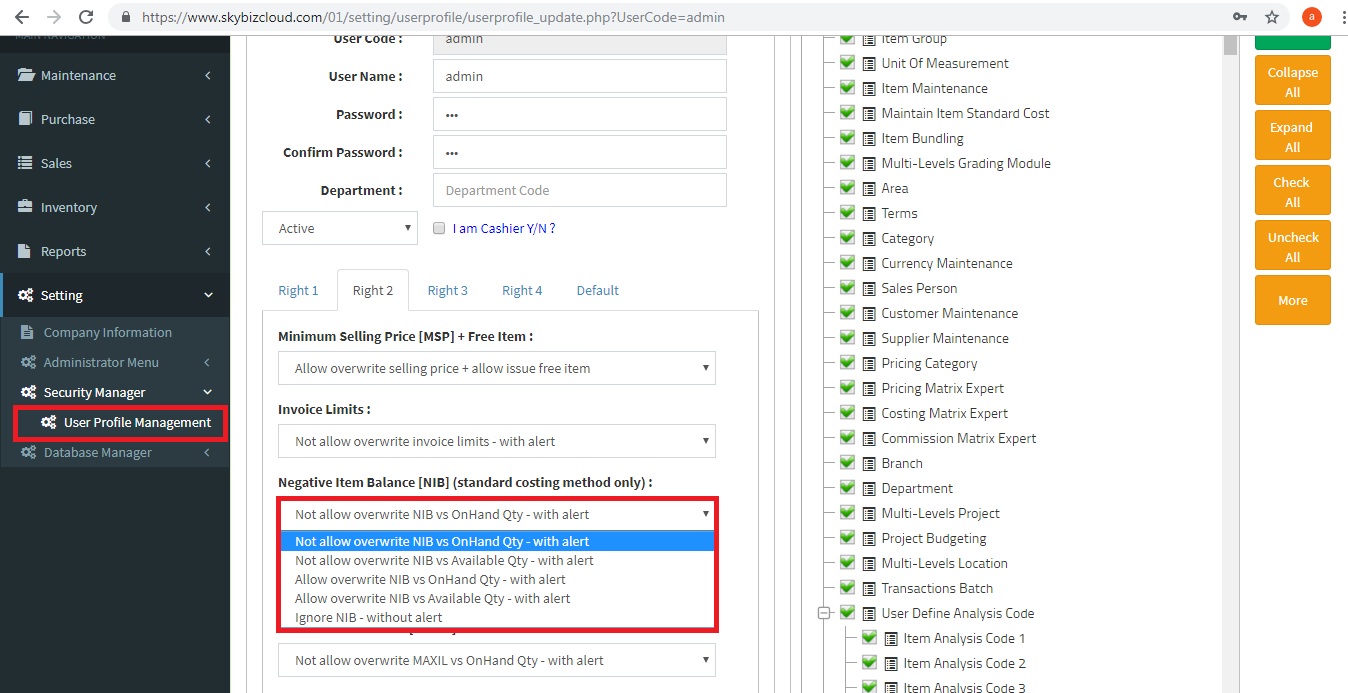
- Click an “Update” to confirm setting.
Powered By : SKYBIZ ® Beyond Cloud ™