Below are steps on how to do Server Setting for Android terminal.
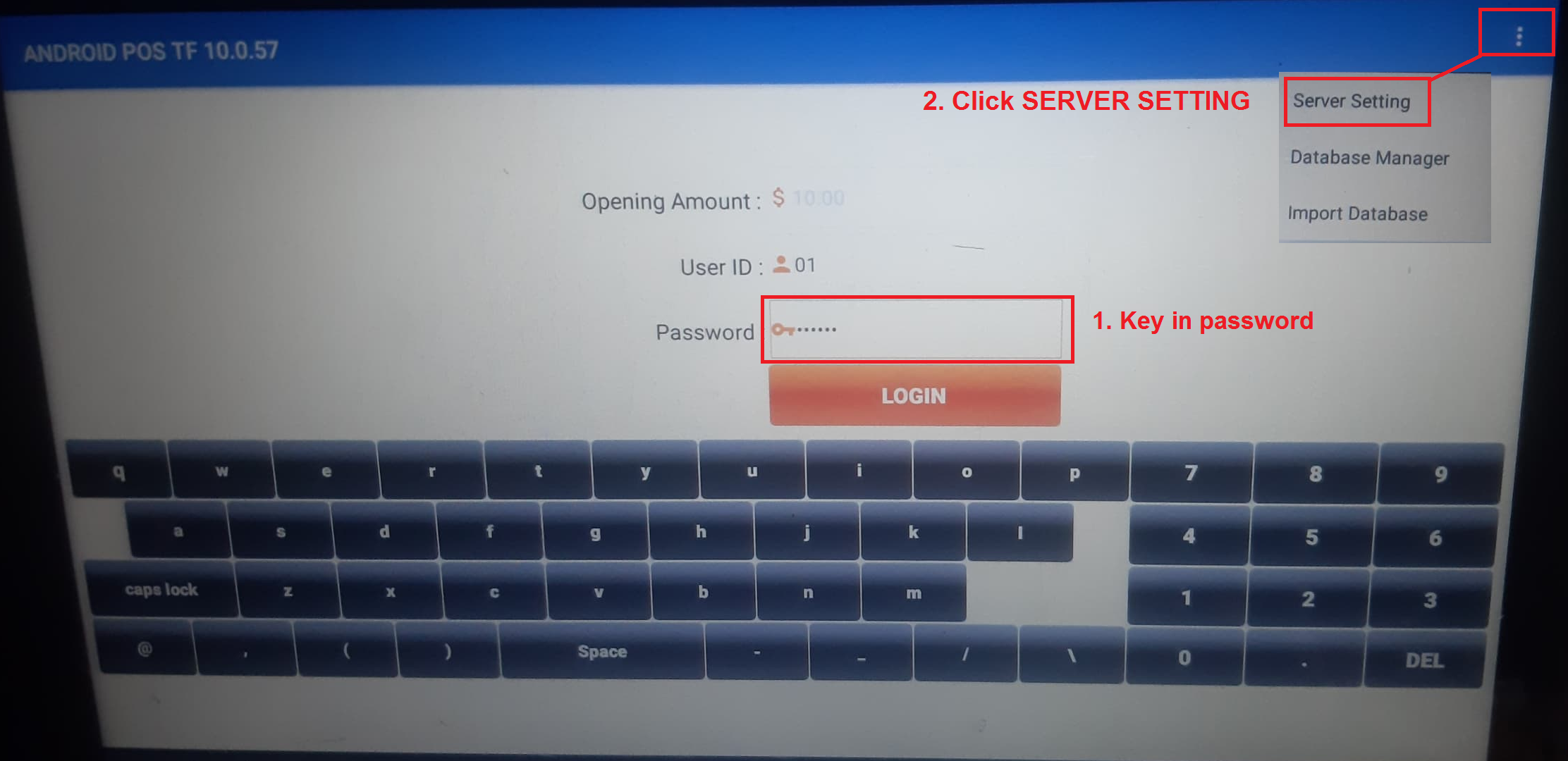
Step 1: Please key in System Password in Password text box, then top-right 3 dots > choose [Server Setting] (You may request System Password from your vendor !].
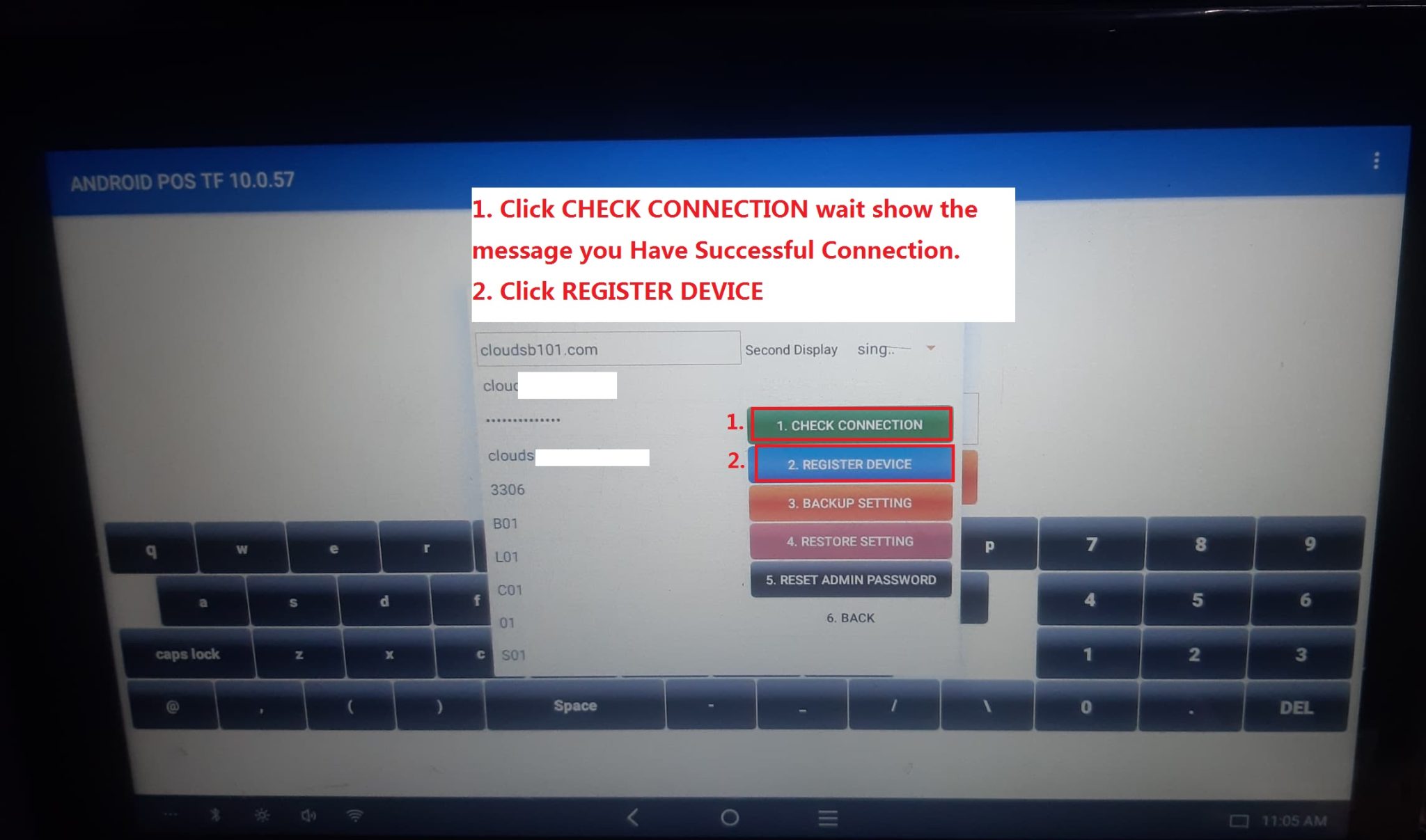
Step 2: Please check the left information shown is correct ? After that click [Register Device] and wait until a message show “You device Successfully Registered !]. After that you may click [Back] to exit to Main Screen. You are done !