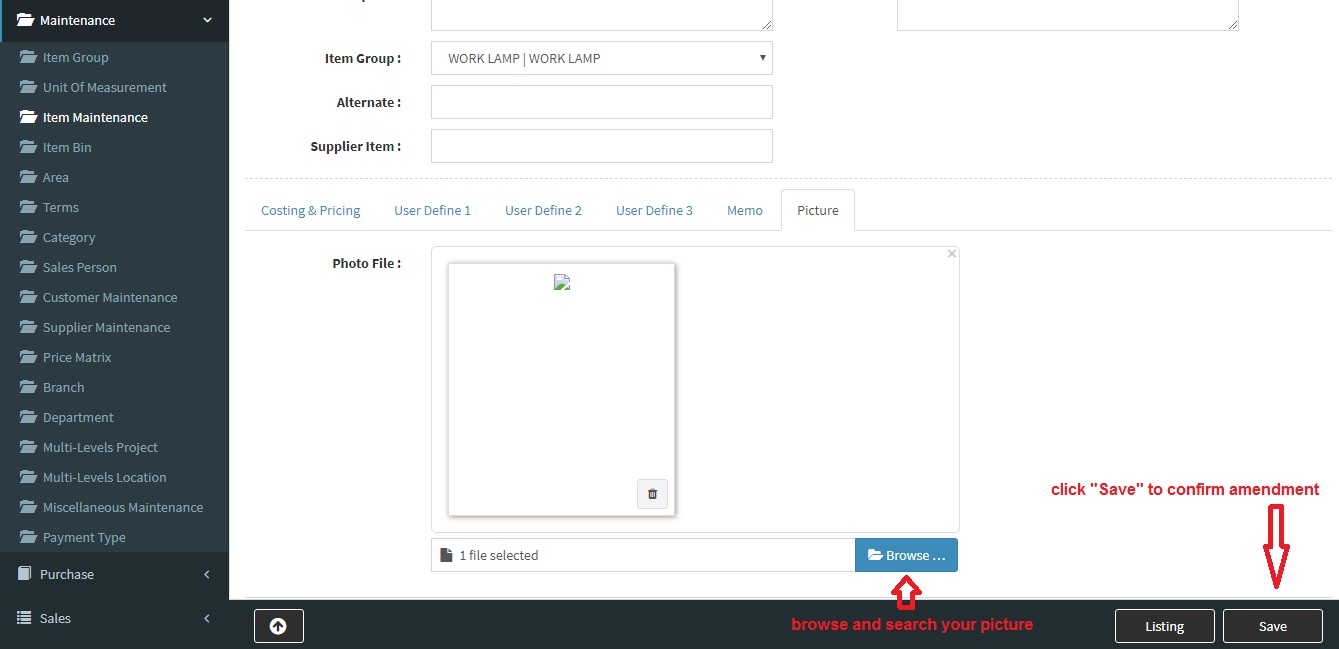
Below are guideline(s) to insert picture into SkyBiz cloud system:
- Go to Google Chrome and type “https://skypos.com.my/“, click login and type your store address.
-
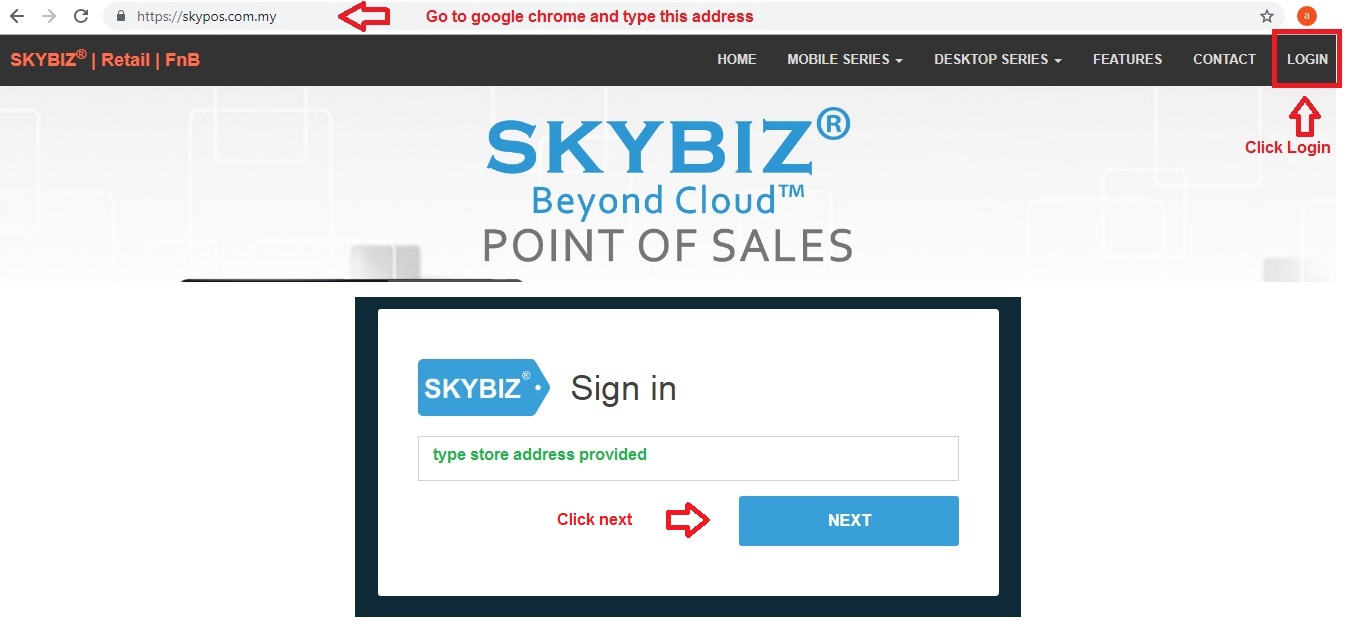
Store Address
- Type your user id and password.
-
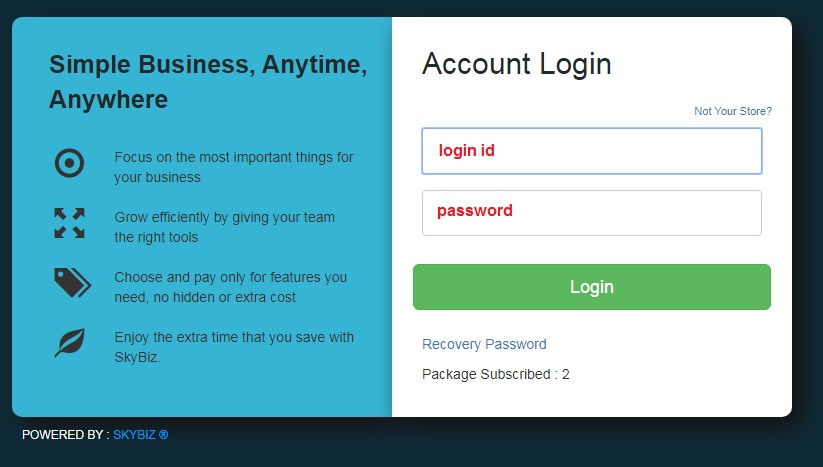
Account Login
- Click Item Maintenance and click “edit” icon
-
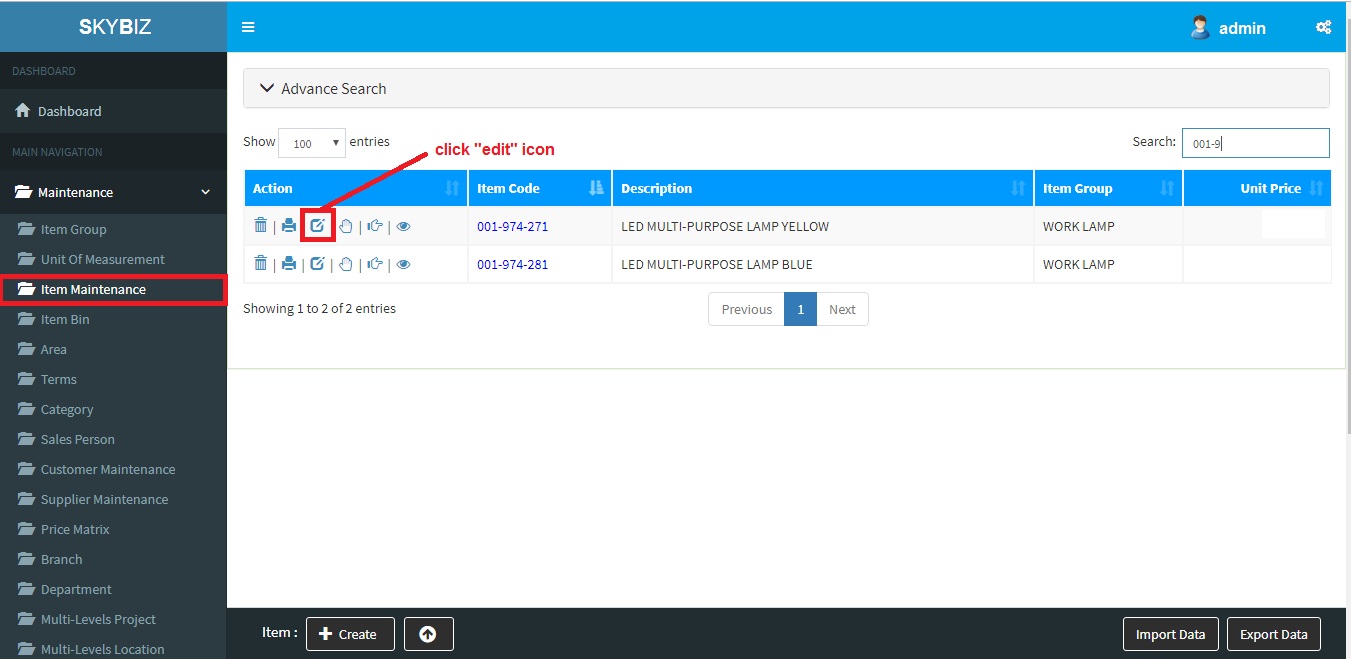
Item Listing
- Browse and attach item picture and click save to confirm amendment.