Below are Guideline(s): How to install TS Print Client ?
Please click here to download and install TS Print Client, after you download setup file, just install it by clicking next and follow the screen guide.
https://www.terminalworks.com/downloads/tsprint/TSPrint_client.exe
Below are Guideline(s): How to setup a new Remote Desktop Connection RDP ?
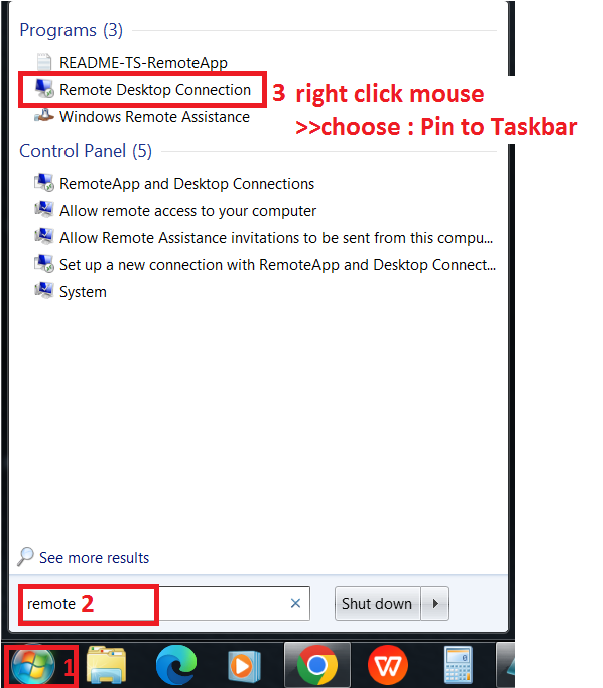
Step1 : Create Remote Desktop shortcut.
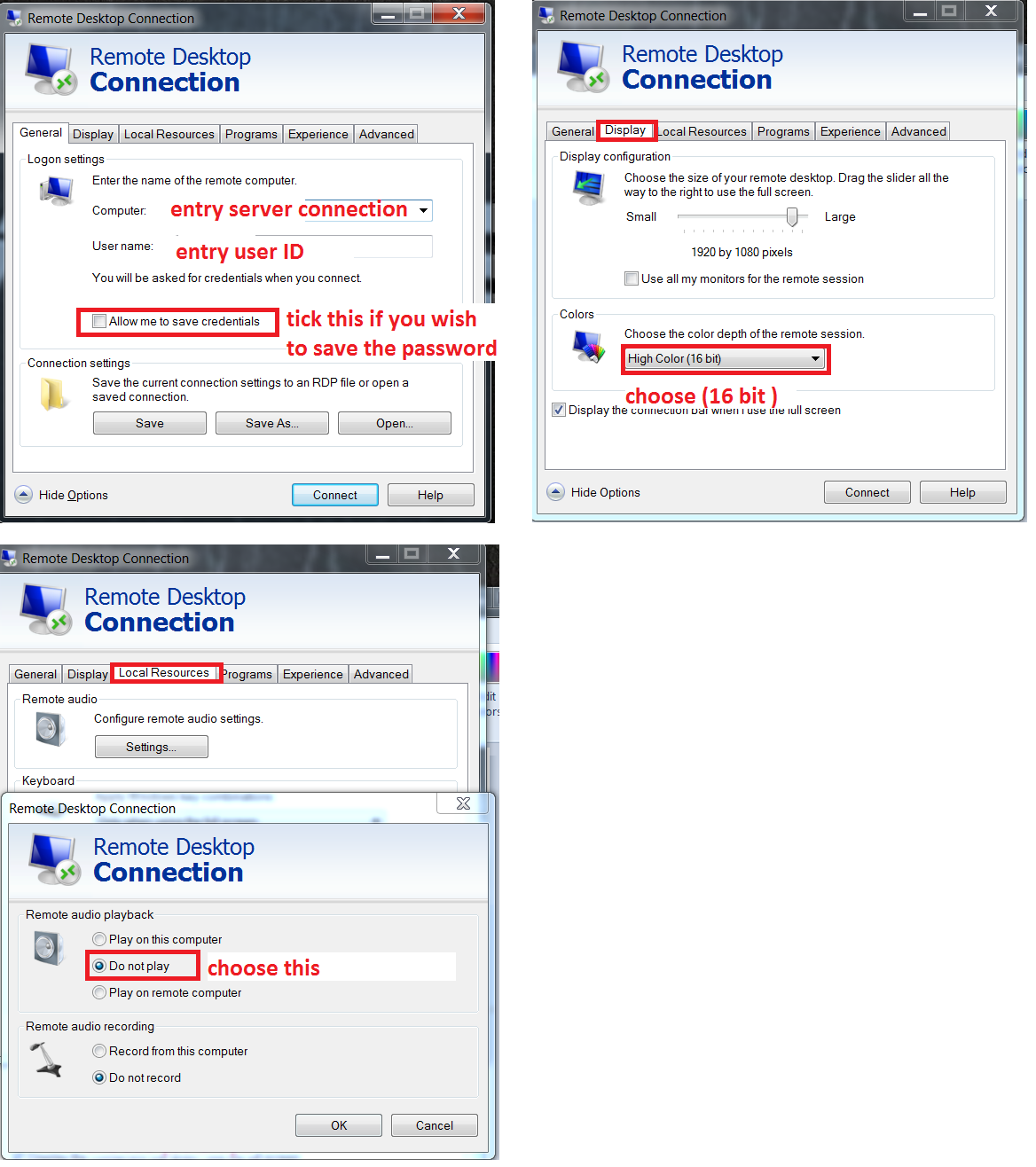
Step 2 : Setup Remote Desktop Connection
You may proceed to connect and use the system.
Below are Guideline(s): How to delete and setup a new Remote Desktop Connection ?
It may happen sometime Windows having issue lost the user RDP login credential, below we provide guidelines on how to delete incorrect RDP connection and setup a new RDP connection.
Open RDP connection, then click [delete] to delete current incorrect login credentials, then click [Yes] to confirm the delete.
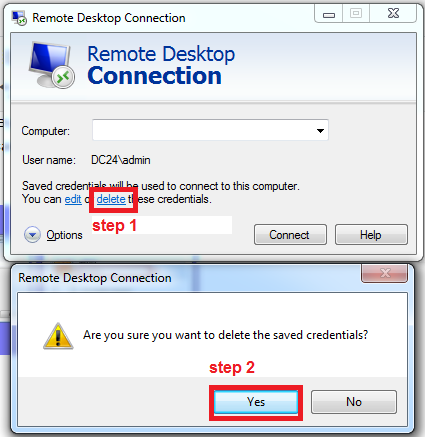
Delete
Click [Connect] to generate a new RDP connection, then click [Connect] again to confirm the new RDP connection.
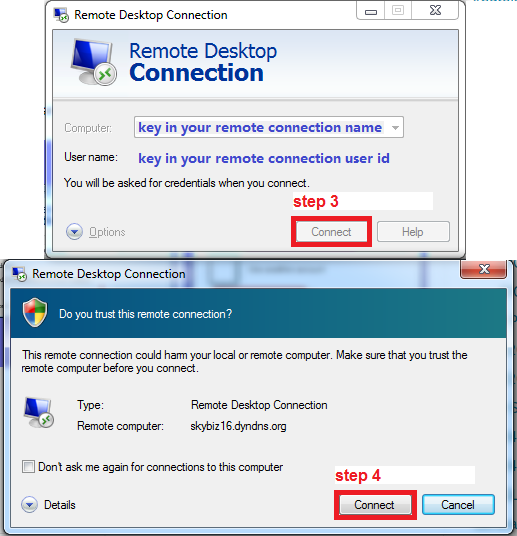
Remote Connection Name&ID
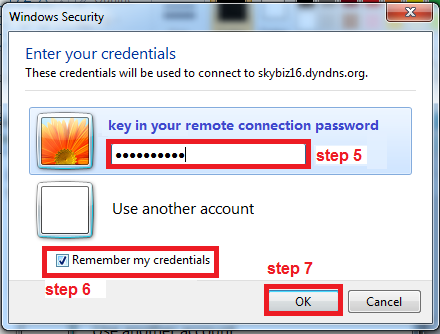
Key in correct login credential, then tick [Remember my credentials], finally click [OK] to confirm the new RDP connection, bingo.
Remote Connection Password