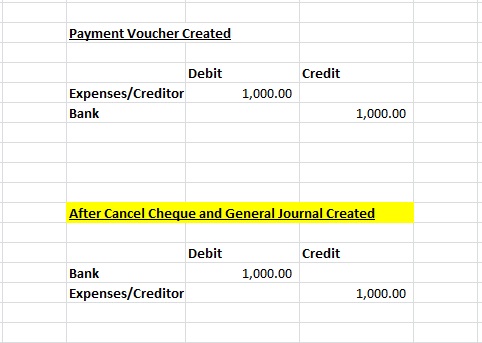
Below are Guideline(s) to cancel cheque or bounce cheque:
- Users has 2 options to do cancel cheque. Option 1 is delete from payment voucher or change “new cheque number” in payment voucher.
- Option 2 is follow step 3 to 9 guidelines
- Go to menu “Cash Book>>Bounce Cheque“.
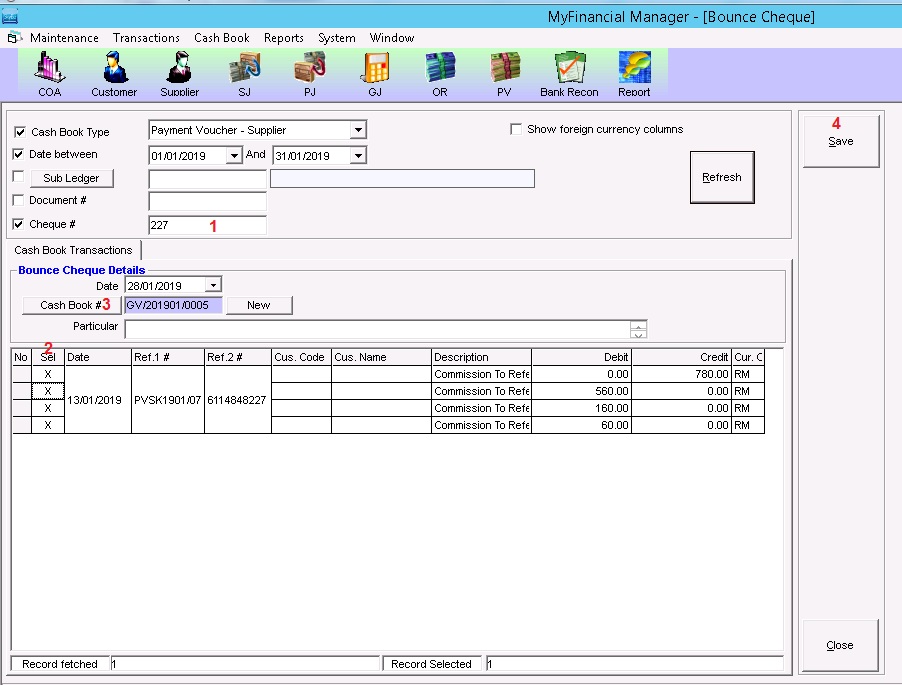
- Do find and search your “Cheque Number” and click button refresh .
- Tick your transaction that desire to cancel.
- Click “Cash Book #” to get reversal number as General Journal.
- Click “Save” to do confirm recording and system will do reverse of transaction.