Below are Guideline(s) on How to Entry and Match Over payment from Customer
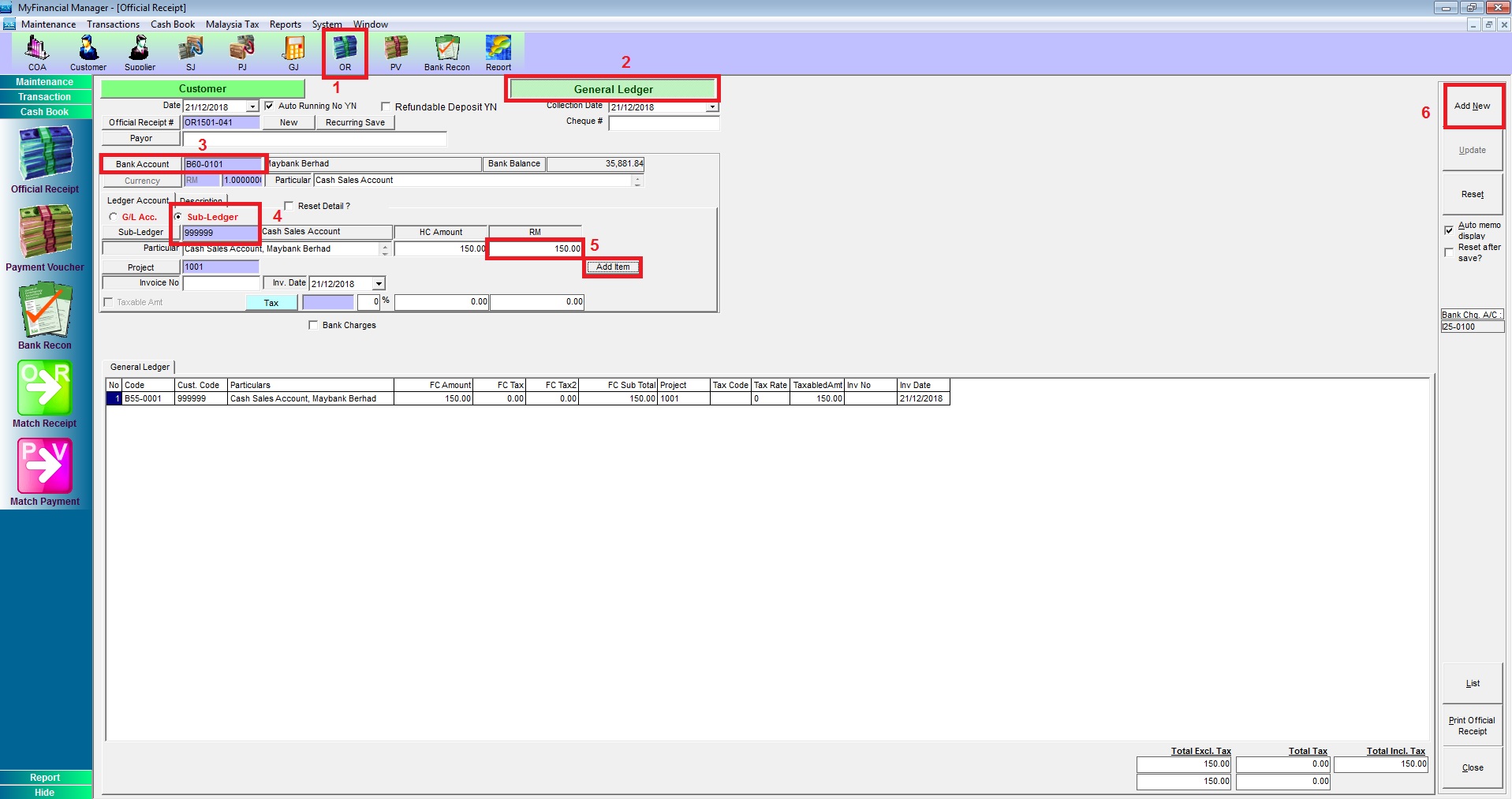
Step 1: Create Official Receipt
- Go to OR
- General Ledger
- Select Bank Account
- Select Sub-ledger (Debtor Code)
- Key In Paid Amount then Add Item
- Add New
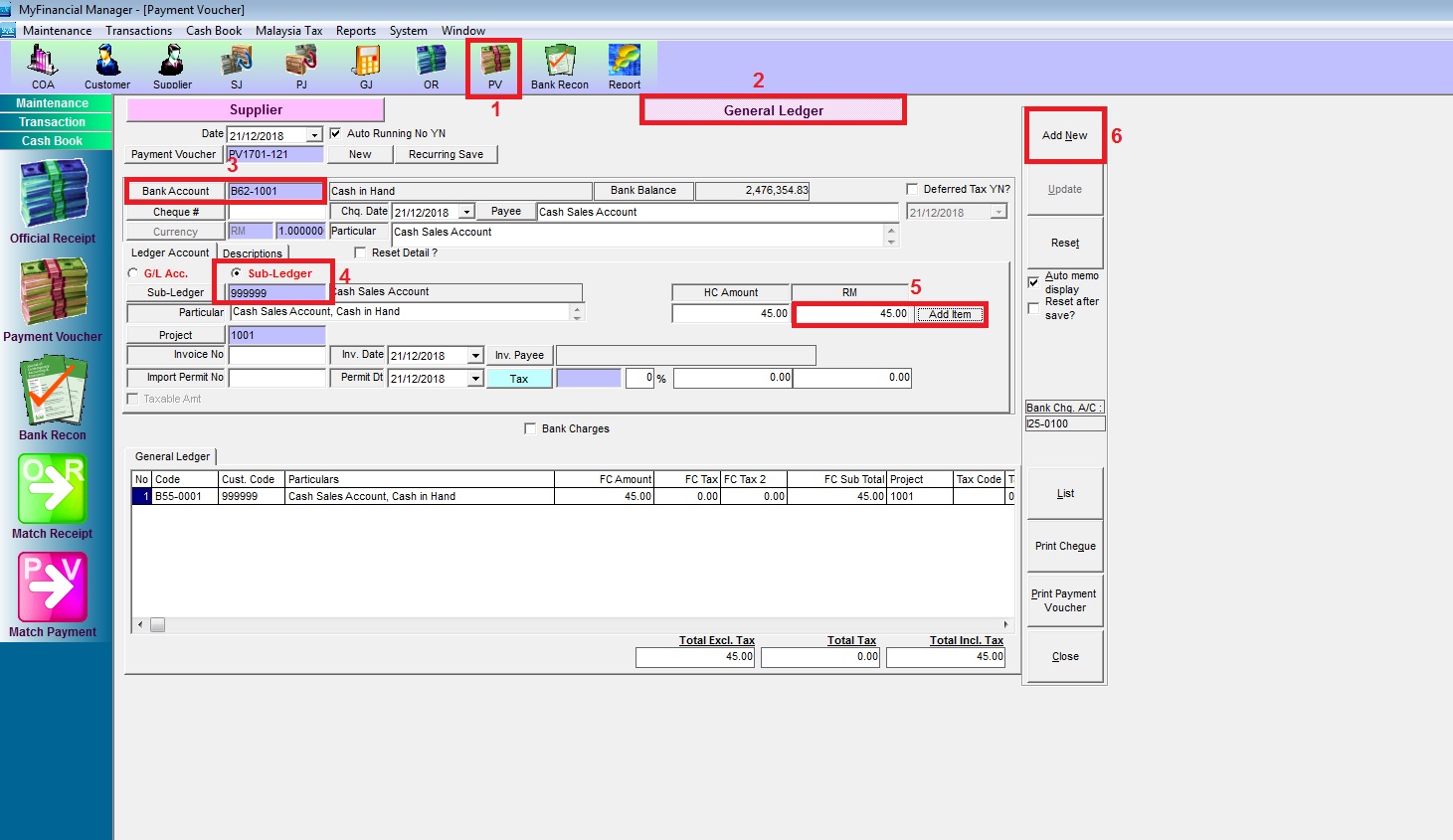
Step 2. Create Payment Voucher to Customer
- Go to PV
- General Ledger
- Select the bank account if you pay by cash select Cash in Hand
- Select Sub-ledger (Debtor code)
- Key in the amount that want to payback to Customer then Add Item
- Add New
Step 3: Matching Receipt
Go to Cash Book > Match Receipt > Match Receipt By Customer
- Select the Customer Code
- Click Receipt/Credit Note
- Select the OR then use
- Apply the amount
- Match
