Introduction to SKYBIZ Tracking Management System
The SKYBIZ Tracking Management System is an intuitive logistics solution designed to streamline your delivery workflow immediately after a sales invoice is generated. This module bridges the gap between your back-office operations and the field, allowing couriers to effortlessly accept assignments, manage package loading, and track the journey to the final drop-off point. By enabling drivers to capture real-time proof of delivery through photo uploads and digital customer signatures, the system ensures total transparency and accountability for every shipment, providing both your business and your clients with ultimate peace of mind.
SKYBIZ Tracking Management System: Setting up Driver, Lorry, and Assign Shipping Category
Step 1: Access the official SKYBIZ Cloud website and enter your credentials to log in to your account.
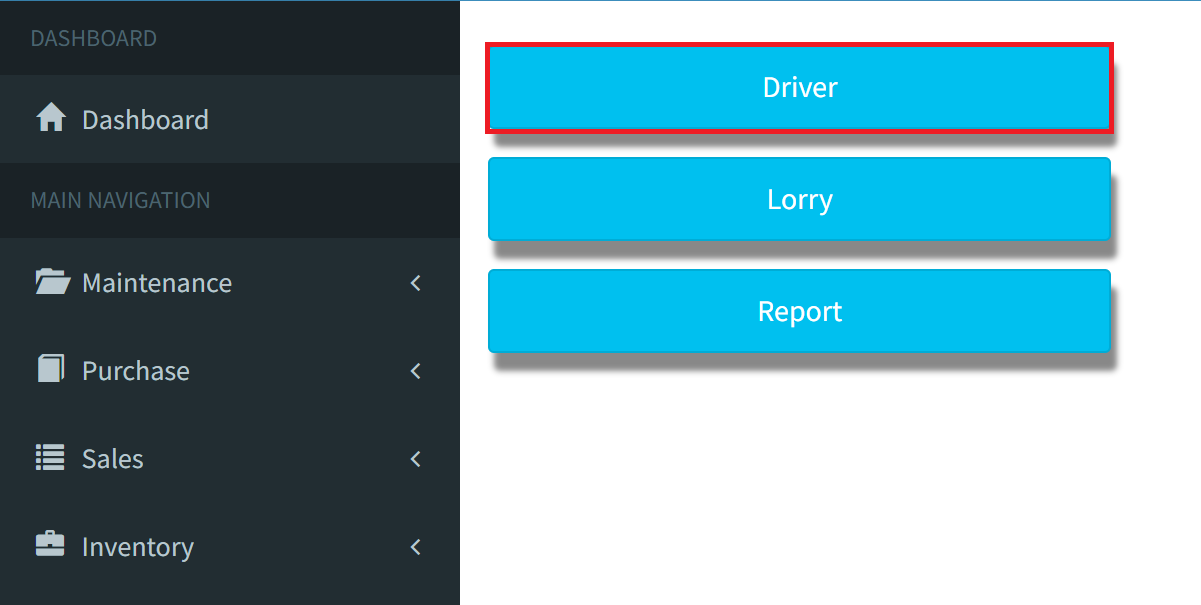
Step 2: Access your Client Portal. Once the page loads, select the Driver button to begin the driver configuration.
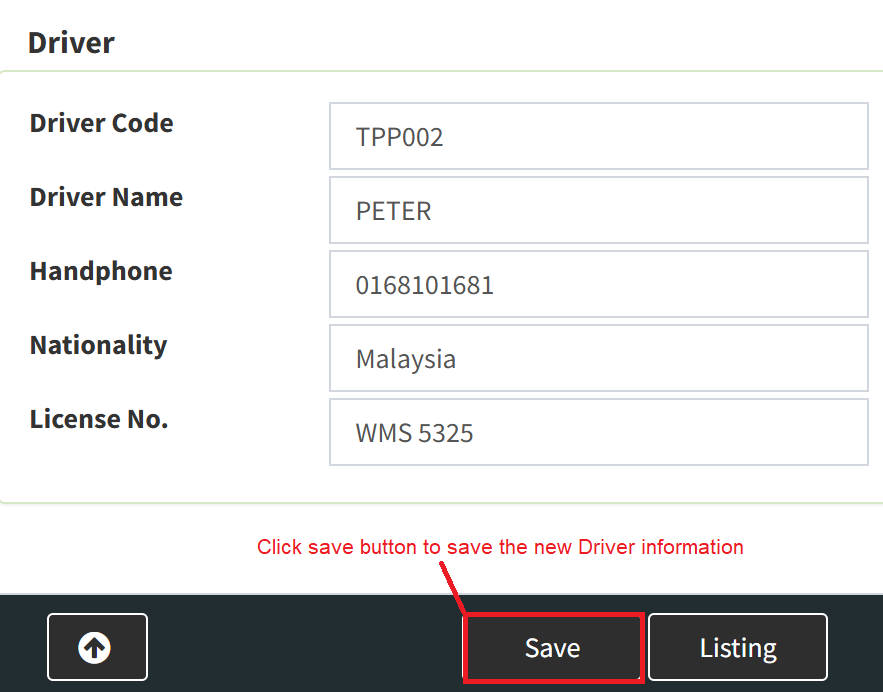
Step 3: Once all required fields are completed, click the Save button to finalize and store the new driver information in the system.
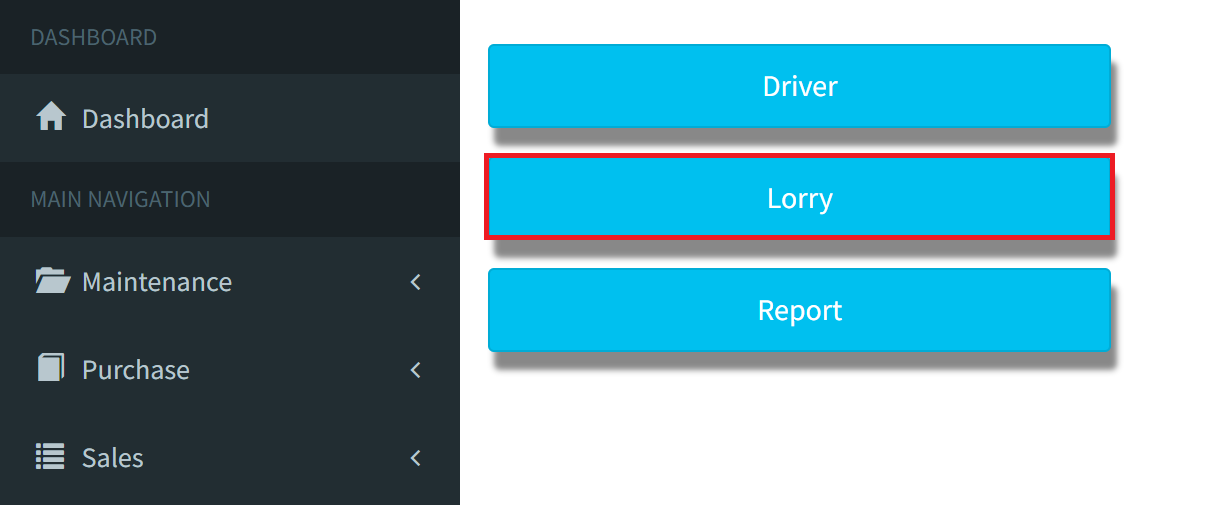
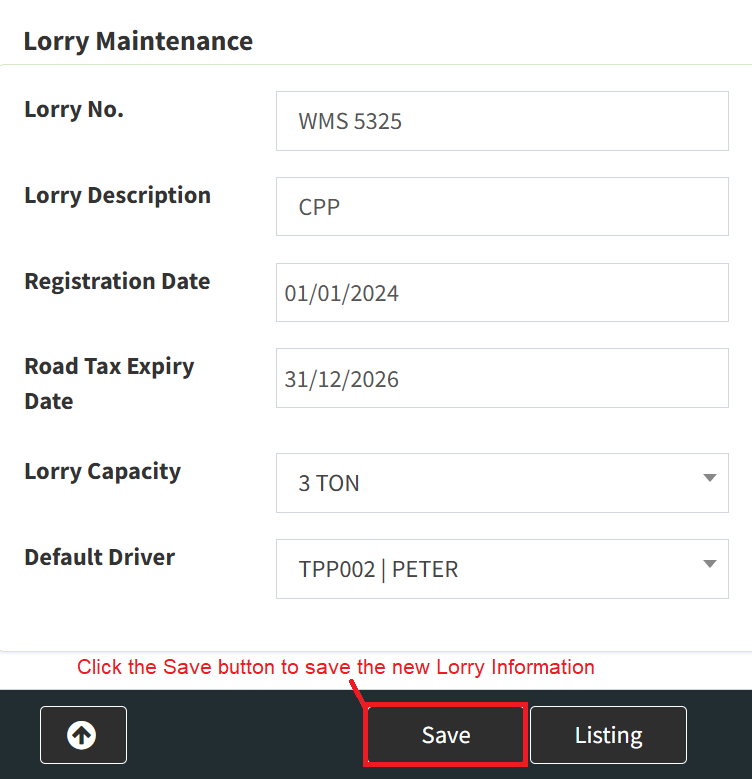
Step 4: Return to the Client Portal and select the Lorry button to begin the vehicle configuration process.
Step 5: Once all required fields are completed, click the Save button to finalize and store the new lorry information in the system.
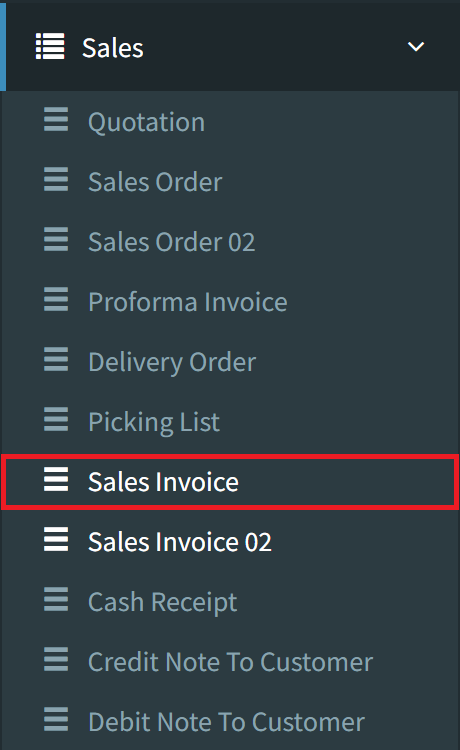
Step 6: To configure the shipping details, navigate to the Sales menu and select Sales Invoice.
Step 7: Select the Listing button in the bottom-right corner to view a comprehensive list of all existing sales invoices.

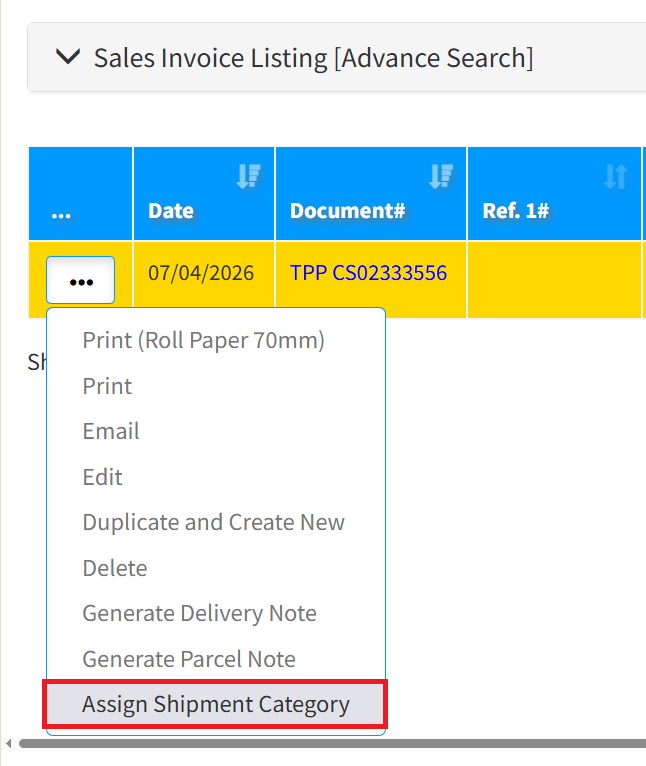
Step 8: Click the 3-Dots (Options) icon on the desired sales invoice, then select Assign Shipment from the dropdown menu.
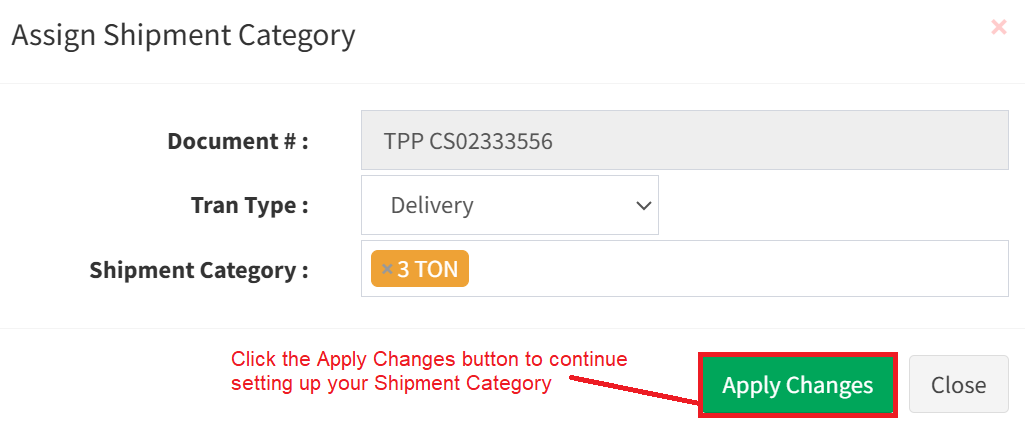
Step 9: When the pop-up appears, specify the Tran Type as either Delivery or Pickup, then select the appropriate Shipment Category. Click the Apply Change button to save your settings.
SKYBIZ Tracking Management System: Setting up SKYBIZ TMS Driver Account
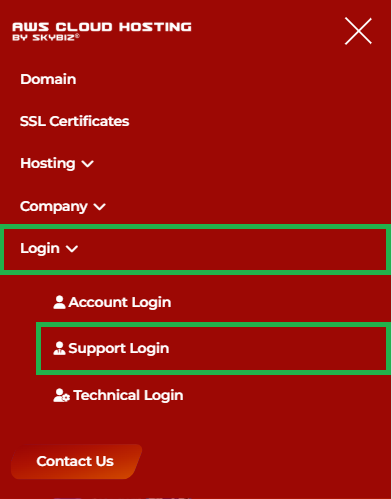
Step 1: Navigate to the official SKYBIZ website and select the Support Login option.
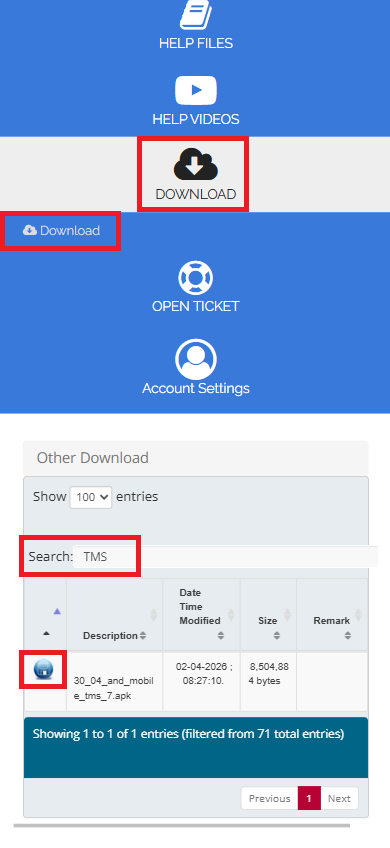
Step 2: Once logged in, navigate to the Download section. Locate the application by typing TMS in the search field and select the Download icon to save the SKYBIZ Tracking Management System installer.
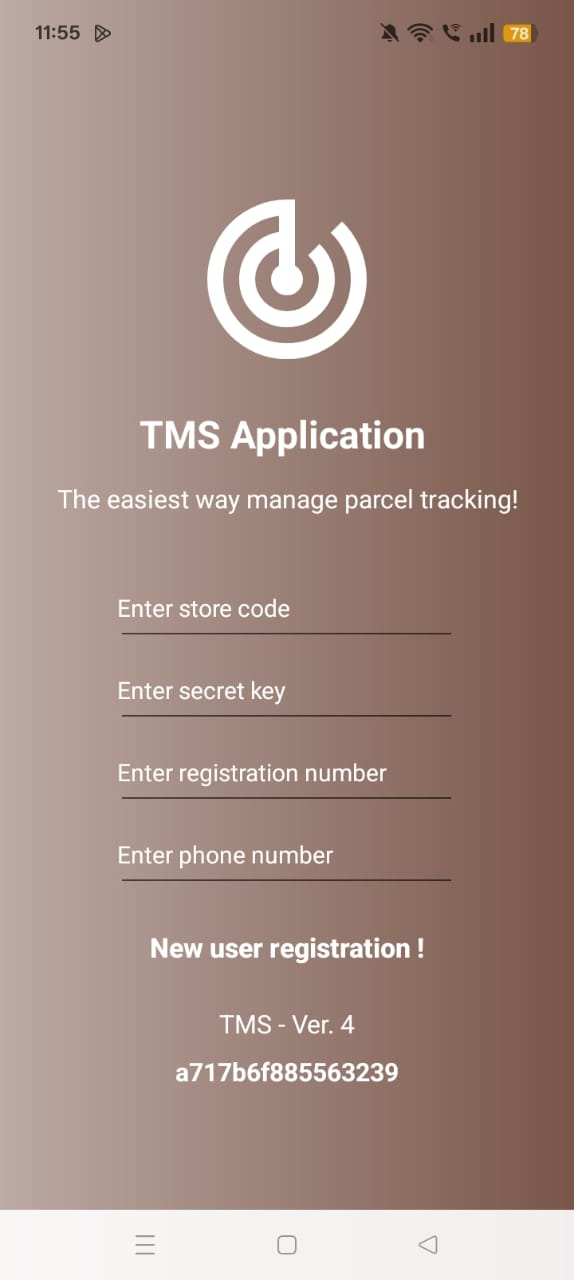
Step 3: Once the app is installed on the driver’s phone, open the SKYBIZ Tracking Management System and click Next. Please ensure all fields are filled in correctly before selecting the New User Registration button to finalize your account setup.
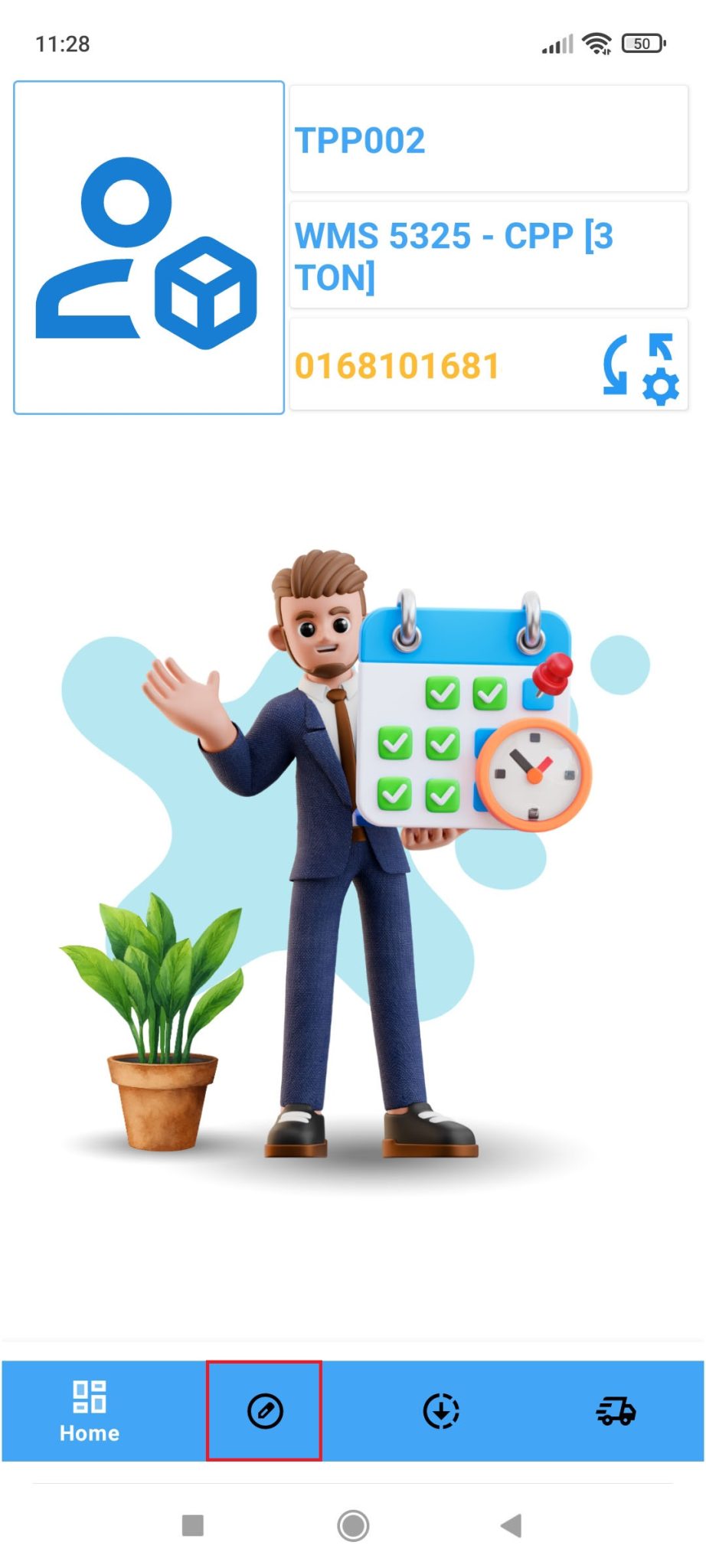
Step 4: Upon logging in, you will be directed to the Dashboard displaying your personal information. Click the Accept Job (✏️) button at the bottom of the screen to view the list of available jobs ready for selection.
Step 5: Select the desired job by ticking the checkbox, then click Accept Job. When the confirmation prompt appears, select Yes to officially start the assignment.
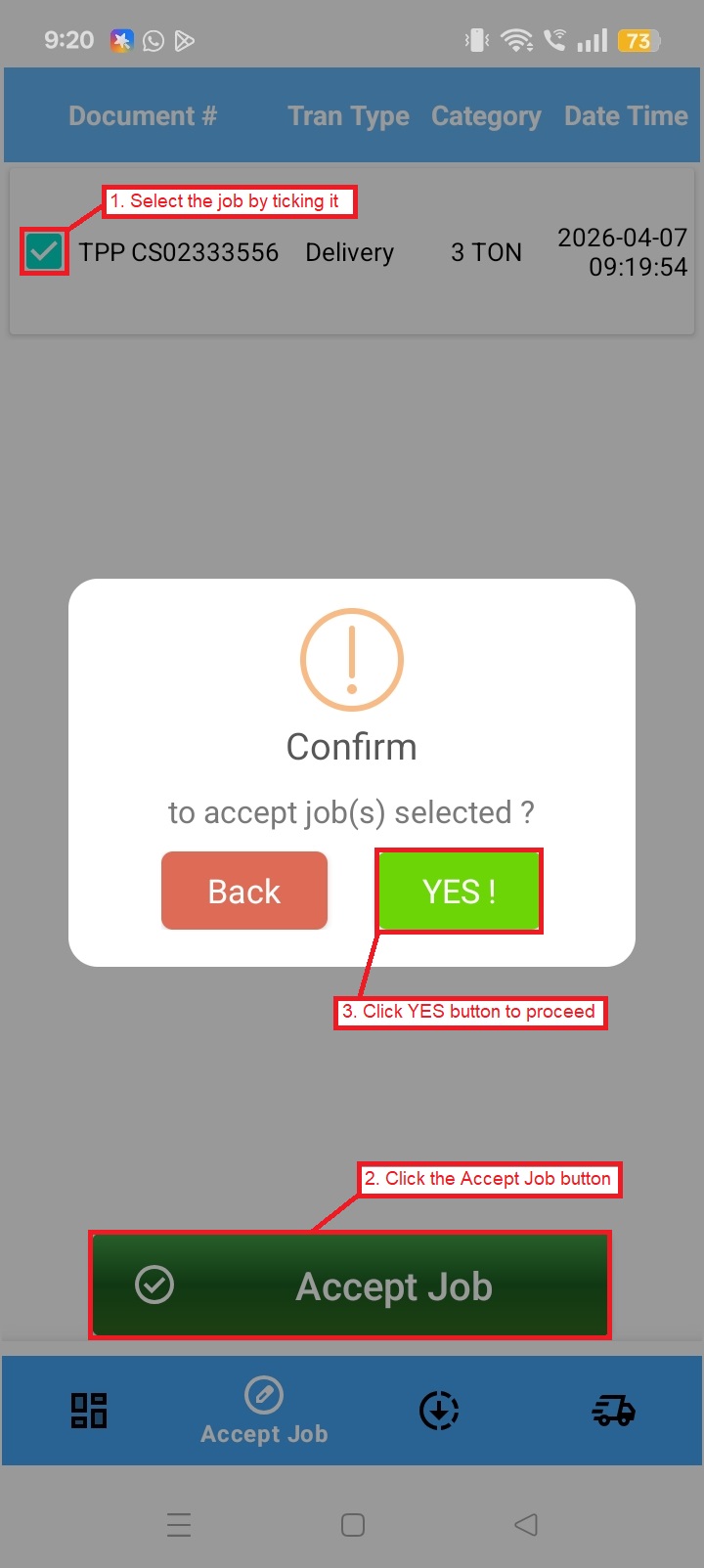
Step 6: Click the Loading Parcel (🡻) button at the bottom of the screen to view your assigned jobs. Once the package is loaded, select the specific job by ticking the checkbox and click the Loading button, followed by OK to proceed.
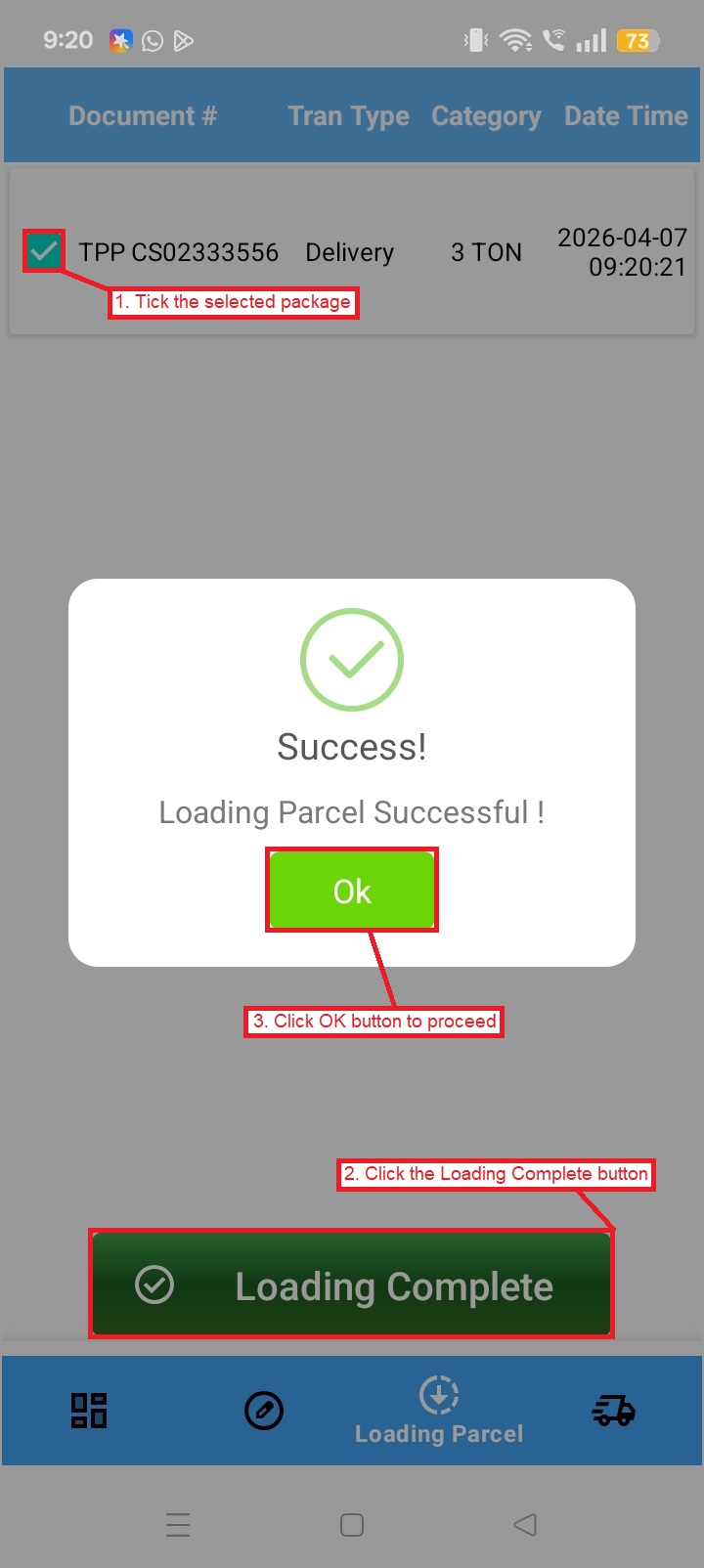
Step 7: When you reach the destination, please click the Delivered (🚚) button located at the bottom of the app. Select the relevant job, then click Delivery Complete to confirm that the package has been successfully dropped off.
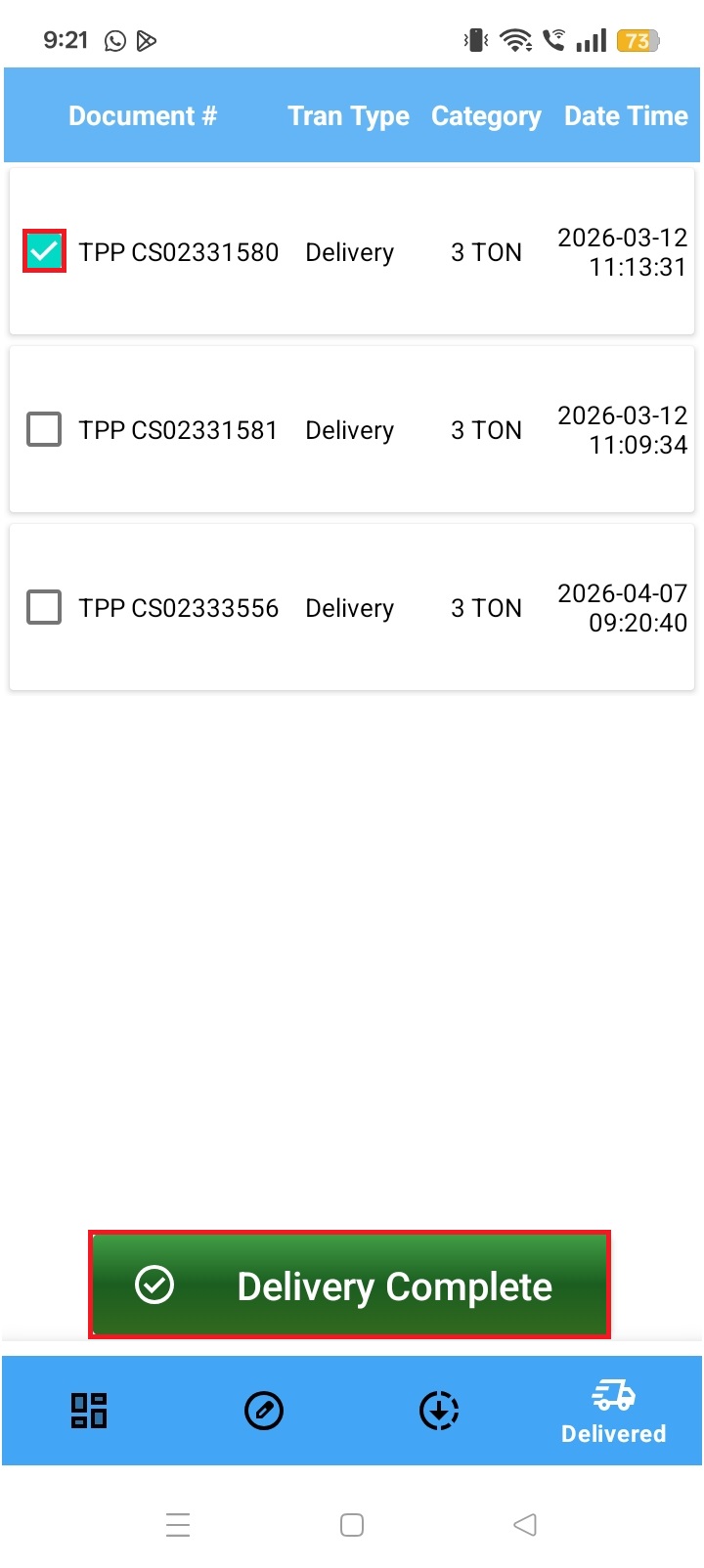
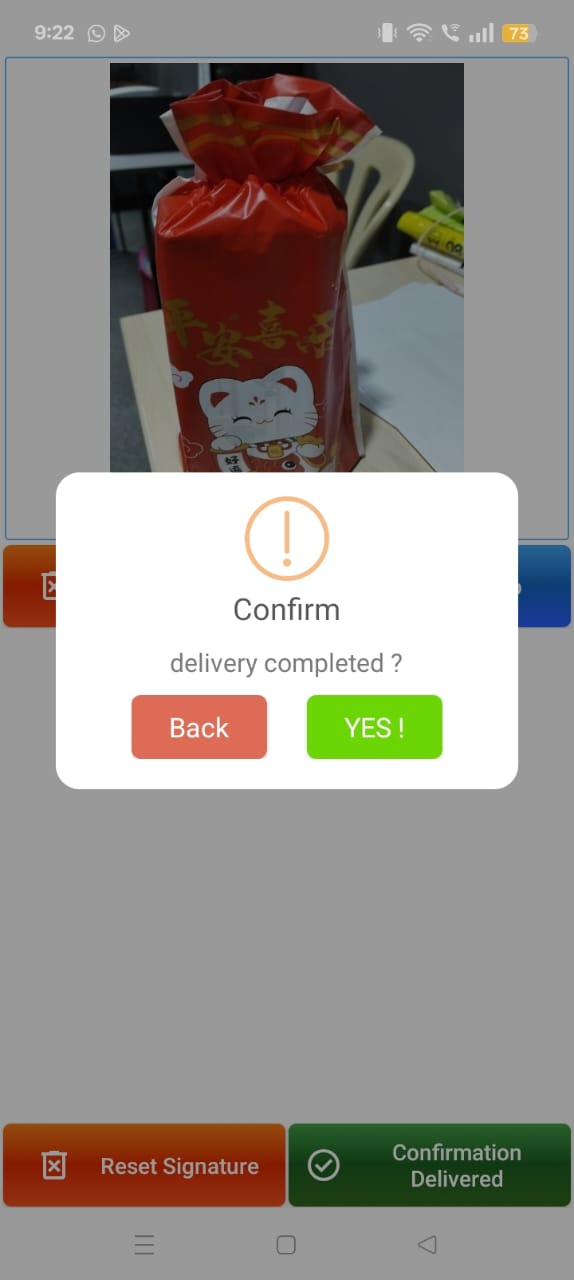
Step 8: Please click the Take Photo button to record a picture of the package. Afterward, ask the customer to provide their signature to verify the delivery, then click Confirmed Delivered to submit your final update.
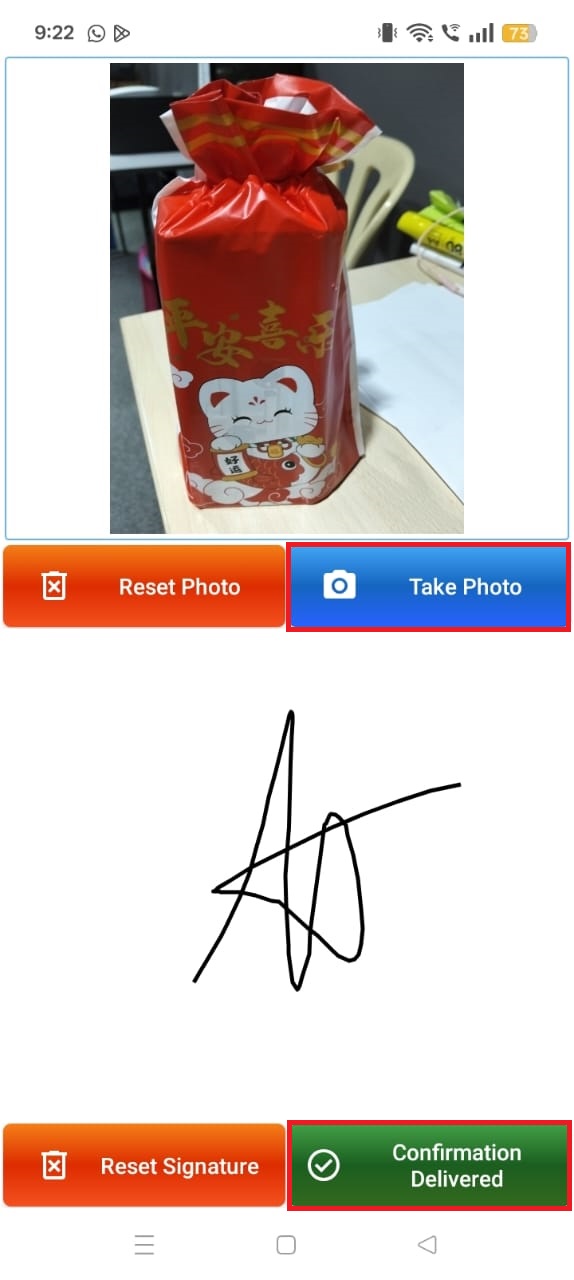
Step 9: Once the prompt appears on your screen, please click the YES button. This will confirm the completion of the delivery and update the shipment status in the system.
Conclusion
By implementing the SKYBIZ Tracking Management System, you transform your delivery process from a manual task into a data-driven, professional operation. This seamless workflow—from initial job acceptance to the final upload of signatures and delivery photos—not only optimizes your courier’s efficiency but also builds immense trust with your customers through verified proof of service. Ultimately, this system provides the end-to-end visibility necessary to minimize disputes, ensure delivery accuracy, and maintain a high standard of excellence in your after-sales logistics.
Powered By: SKYBIZ ®